What is HIX AI?
HIX AI is an all-in-one AI content creation platform that bundles AI-writing, research, AI-image generation, AI-video generation, and AI-detection bypass into a single workspace. It launched as an AI writing assistant and has expanded to include over 120 tools for tasks ranging from blog writing to email drafting to PDF summarization.
Key facts about HIX AI:
- Founded as: An AI writing copilot competing with Jasper and Copy.ai
- Current positioning (2026): Multi-modal AI workspace
- Supported languages: 50+
- AI models accessible: GPT-class models, Gemini, Claude
- Browser support: Chrome and Edge extensions
- Direct integrations: WordPress, Google Docs, Gmail, LinkedIn
The core idea behind HIX AI is consolidation. Instead of paying for and switching between ChatGPT, an image generator, a video tool, a writing assistant, and a humanizer, users access all of these from one dashboard with one login.
What are the main features of HIX AI?
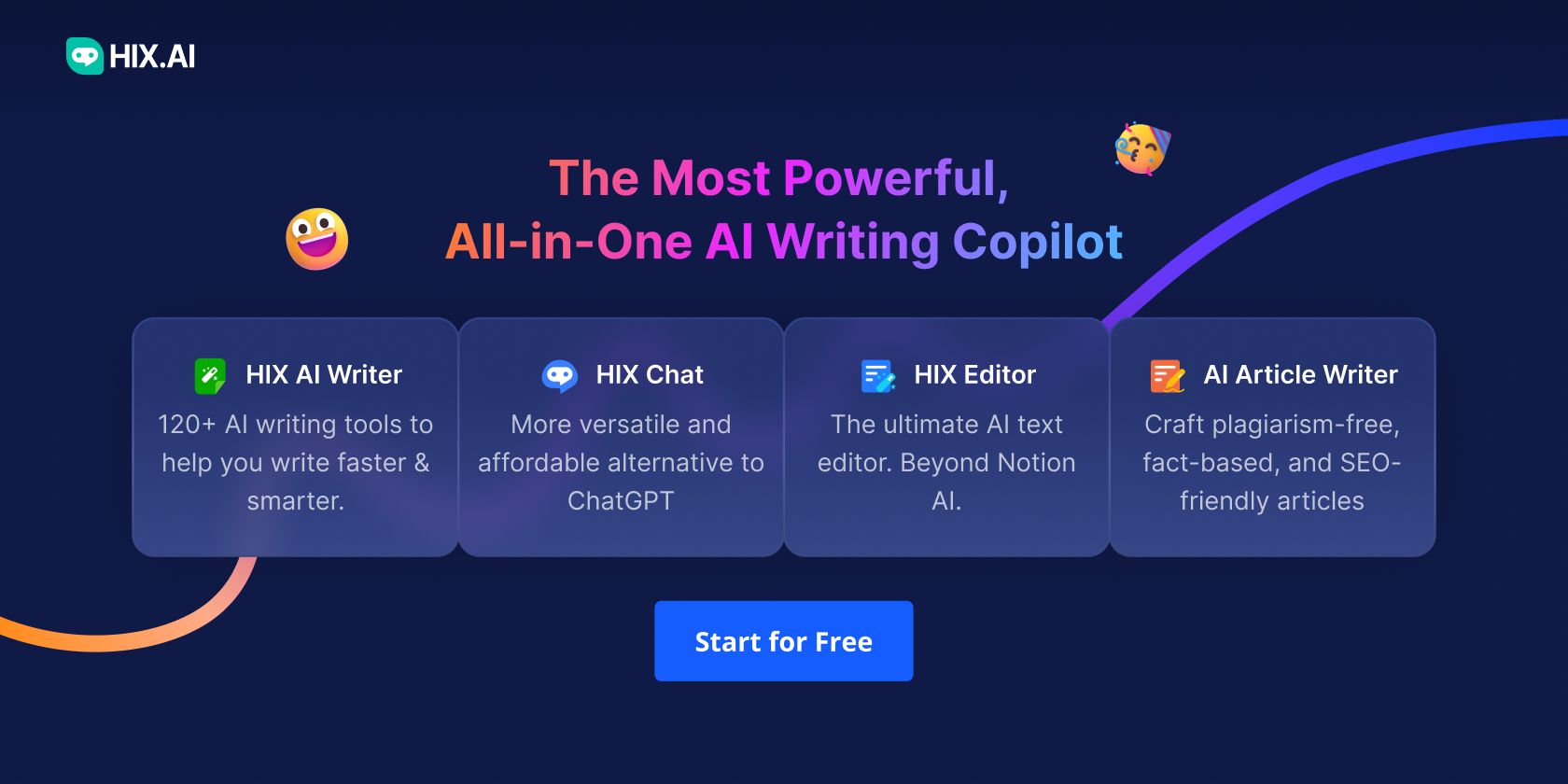
HIX AI’s features can be grouped into seven core tools:
1. HIX Writer
A library of 120+ writing templates covering blog posts, emails, ad copy, product descriptions, social media captions, landing pages, and more. Each template walks the user through a short form (topic, tone, keywords) before generating output.
2. ArticleGPT
A long-form article generator that pulls from credible online sources rather than relying only on training data. ArticleGPT supports eight article types: general blog post, how-to guide, product roundup, product review, news article, comparison article, Amazon product review, and Amazon product roundup.
3. HIX Chat
An AI chatbot with live web access that can read PDFs, web pages, and YouTube videos. Unlike standard chatbots, HIX Chat returns timestamped summaries for YouTube videos and page references for PDFs.
4. HIX Editor
A built-in writing workspace similar in feel to Notion AI, with inline auto-writing, rewriting, and refinement features.
5. HIX Bypass
A humanizer that rewrites AI-generated text to read more naturally and bypass AI-detection tools used in academic and professional settings.
6. AI Image Generator
Generates images from text prompts with multiple style presets including photorealistic, illustrated, 3D render, and watercolor.
7. AI Video Agent
Creates short videos from text prompts using modern video generation models.
Bonus: Browser Extension (BrowserGPT)
Drops HIX AI into Gmail, Google Docs, LinkedIn, Twitter/X, and other platforms, allowing inline AI assistance without switching tabs.
How do you sign up for HIX AI?
To sign up for HIX AI, follow these four steps:
- Visit hix.ai in your web browser.
- Click “Sign Up” in the top-right corner.
- Choose your sign-up method. email, Google, or Microsoft account.
- Verify your email if prompted, then log in to access the dashboard.
The free plan activates automatically and includes 3,000 GPT-3.5 words per month, access to 120+ writing tools, HIX Chat, HIX Editor, the AI email writer, the grammar checker, and the browser extension.
How to write a blog post with ArticleGPT
ArticleGPT is HIX AI’s strongest feature for long-form content. Here is the complete step-by-step process:

Step 1: Open ArticleGPT
From the HIX AI dashboard, click ArticleGPT in the left sidebar.
Step 2: Choose your article type
Select from eight options:
- General blog post
- How-to guide
- Product roundup
- Product review
- News article
- Comparison article
- Amazon product review
- Amazon product roundup
Step 3: Enter your brief
Fill in the following fields:
- Topic. a specific, descriptive sentence
- Primary keyword. the main term someone would Google
- Secondary keywords. two to four supporting terms
- Tone of voice. friendly, professional, conversational, persuasive
- Word count. typically 800–1,500 for blog posts, 2,000–3,000 for guides
- Point of view. first, second, or third person
- Target audience. be specific
- Language. default English; 50+ supported
Step 4: Add references
Either search for top-ranking articles using your target keyword, or paste your own reference URLs and upload supporting documents. Select three to five strong sources.
Step 5: Review the title and outline
ArticleGPT generates a title and outline first. Edit these before generating the full article. adjusting the outline takes five minutes and saves an hour of rewriting.
Step 6: Generate the full draft
Click Generate. The full article appears in 30–60 seconds.
Step 7: Edit in HIX Editor
Send the draft to HIX Editor for refinement, then export to WordPress, Google Docs, Word, or PDF with one click.
Result: A 1,200-word blog post draft in roughly two minutes of generation time, plus 30–45 minutes of editing for a publishable final version.
How to use HIX Chat to summarize YouTube videos and PDFs
HIX Chat reads YouTube videos, PDFs, and web pages and returns summaries with source references. The process is:
- Open HIX Chat from the dashboard.
- Paste a YouTube URL, web page link, or upload a PDF.
- Ask a question like “Summarize the key points in bullet form” or “What does this article say about X?”
- Review the response. YouTube summaries include timestamps; PDF summaries include page references.
This replaces separate YouTube summarizer and PDF chat tools.
How to generate images with HIX AI
To generate an image in HIX AI:
- Open the AI Image Generator from the dashboard.
- Write a descriptive prompt that includes subject, style, lighting, and mood.
- Choose a style preset (photorealistic, illustrated, 3D render, watercolor, etc.).
- Select an aspect ratio (16:9 for blog headers, 1:1 for social, 9:16 for vertical video).
- Click generate, then download or send to HIX Editor.
Example prompt that works well:
“A minimalist flat-design illustration of a content creator at a desk with multiple AI tool icons floating around them, soft pastel palette, clean lines, 16:9.”
How to use HIX Bypass
HIX Bypass rewrites AI-generated text to read more naturally:
- Paste the AI-generated text into HIX Bypass.
- Choose a humanization level: light, standard, or aggressive.
- Review the rewritten output, which has been restructured at the sentence level.
Important responsibility note: Many academic institutions and platforms explicitly prohibit submitting AI-generated work, even when rewritten. HIX Bypass is most appropriate for marketing copy, personal projects, and creative writing. not for academic assessments where AI use is prohibited.
How to write emails faster with HIX AI
The AI Email Writer works in two places:
Inside the HIX AI dashboard:
- Open the AI Email Writer.
- Paste the email you’re replying to, or describe the email you want to send.
- Choose from three suggested responses with different tones.
- Edit and copy to your email client.
Inside Gmail (with the browser extension):
- Install BrowserGPT from the Chrome or Edge store.
- Open Gmail and click the HIX AI icon inside the compose window.
- Generate replies and drafts without leaving your inbox.
How much does HIX AI cost in 2026?
HIX AI offers four pricing tiers (all paid plans billed annually):
| Plan | Price | Monthly Word Limit | Key Features |
|---|---|---|---|
| Free | $0 | 3,000 GPT-3.5 words | 120+ tools, HIX Chat, HIX Editor, email writer, grammar checker, browser extension |
| Basic | $19.99/month | 300,000 GPT-3.5 + 10,000 GPT-4 words | Chat with documents and webpages, 1-click WordPress and Google Docs export |
| Pro | $39.99/month | 600,000 GPT-3.5 + 20,000 GPT-4 words | ArticleGPT, Article Rewriter, 10,000 plagiarism check words, priority support |
| Ultimate | $99.99/month | Unlimited GPT-3.5 + 50,000 GPT-4 words | Full feature suite |
Annual billing saves approximately 23–33% versus monthly billing. Most solo creators choose Basic or Pro.
What are the pros and cons of HIX AI?
Pros
- One subscription replaces several tools. typically cheaper than paying for ChatGPT Plus, Jasper, Canva, and a humanizer separately
- ArticleGPT pulls from live sources. more factually grounded than AI writers that rely on training data alone
- Browser extension. saves measurable time by working inside Gmail, Google Docs, and other web apps
- HIX Chat reads YouTube and PDFs. eliminates the need for separate summarizer tools
- Beginner-friendly interface. labeled in plain English, no technical setup required
Cons
- 120+ tools can overwhelm new users. expect a learning curve in the first week
- Specialist tools still win on quality. Midjourney produces better images, Runway produces better videos
- Word limits on lower tiers can feel tight. heavy publishers will need Pro or Ultimate
- AI-generated drafts still require editing. voice, examples, and originality remain human work
Who should use HIX AI?
HIX AI is best for:
- Solo bloggers and content creators publishing weekly
- Small marketing teams shipping copy across multiple channels
- Freelance writers managing several clients
- Students doing research that involves reading multiple PDFs
- Anyone currently juggling three or more AI subscriptions
HIX AI isn’t the right choice for:
- Power users who need top-quality output from specialist tools (Midjourney, Runway, ElevenLabs)
- Casual users who write occasionally. the free plan or plain ChatGPT may suffice
- Purely visual workflows where a design-focused tool is more appropriate
Frequently Asked Questions
Is HIX AI free?
Yes. HIX AI offers a free plan with 3,000 GPT-3.5 words per month and access to 120+ writing tools, HIX Chat, HIX Editor, the email writer, the grammar checker, and the browser extension. Paid plans start at $19.99/month when billed annually.
Is HIX AI better than ChatGPT?
HIX AI and ChatGPT serve different needs. ChatGPT is a general-purpose chatbot with strong reasoning. HIX AI is a content creation suite that includes a chatbot plus 120+ specialized tools, image generation, video generation, and a humanizer. For pure conversation, ChatGPT is comparable. For end-to-end content creation in one dashboard, HIX AI is broader.
Does HIX AI detect plagiarism?
Yes. HIX AI’s Pro and Ultimate plans include built-in plagiarism checking. 10,000 words per month on Pro, with higher limits on Ultimate.
Can HIX AI write SEO-optimized content?
Yes. ArticleGPT accepts primary and secondary keywords during the brief stage and pulls from live web sources, producing articles structured for search visibility.
Does HIX AI work with WordPress?
Yes. All paid plans include 1-click export from HIX Editor directly to WordPress drafts.
How many languages does HIX AI support?
HIX AI supports content generation and translation in 50+ languages.
Can HIX AI summarize YouTube videos?
Yes. Paste a YouTube URL into HIX Chat and request a summary. The response includes timestamped references so you can jump to specific moments in the video.
Is content from HIX AI detectable by AI detectors?
Standard HIX AI output can be flagged by AI detectors. HIX Bypass is the specific tool designed to rewrite AI text so it reads as more human and reduces detection risk.
Does HIX AI offer a refund?
Refund policies are listed on hix.ai/refund. Confirm directly on the site before subscribing.
Key Takeaways
- HIX AI is an all-in-one AI workspace combining 120+ writing tools, a long-form article generator, an AI chatbot with web access, image and video generation, and AI-detection bypass.
- The free plan includes 3,000 words per month and is enough to evaluate the platform properly.
- ArticleGPT is the standout feature for blog writers because it pulls from live online sources for factual accuracy.
- HIX Chat reads PDFs, web pages, and YouTube videos with timestamps and source references.
- Pricing starts at $19.99/month (annual billing) and scales to $99.99/month for unlimited usage.
- Best fit: solo bloggers, small marketing teams, freelancers, and students. Less ideal for: power users needing specialist-grade image or video output.
Last updated: May 2026. AI tools change frequently. verify current pricing and feature availability on the official HIX AI website before subscribing.