
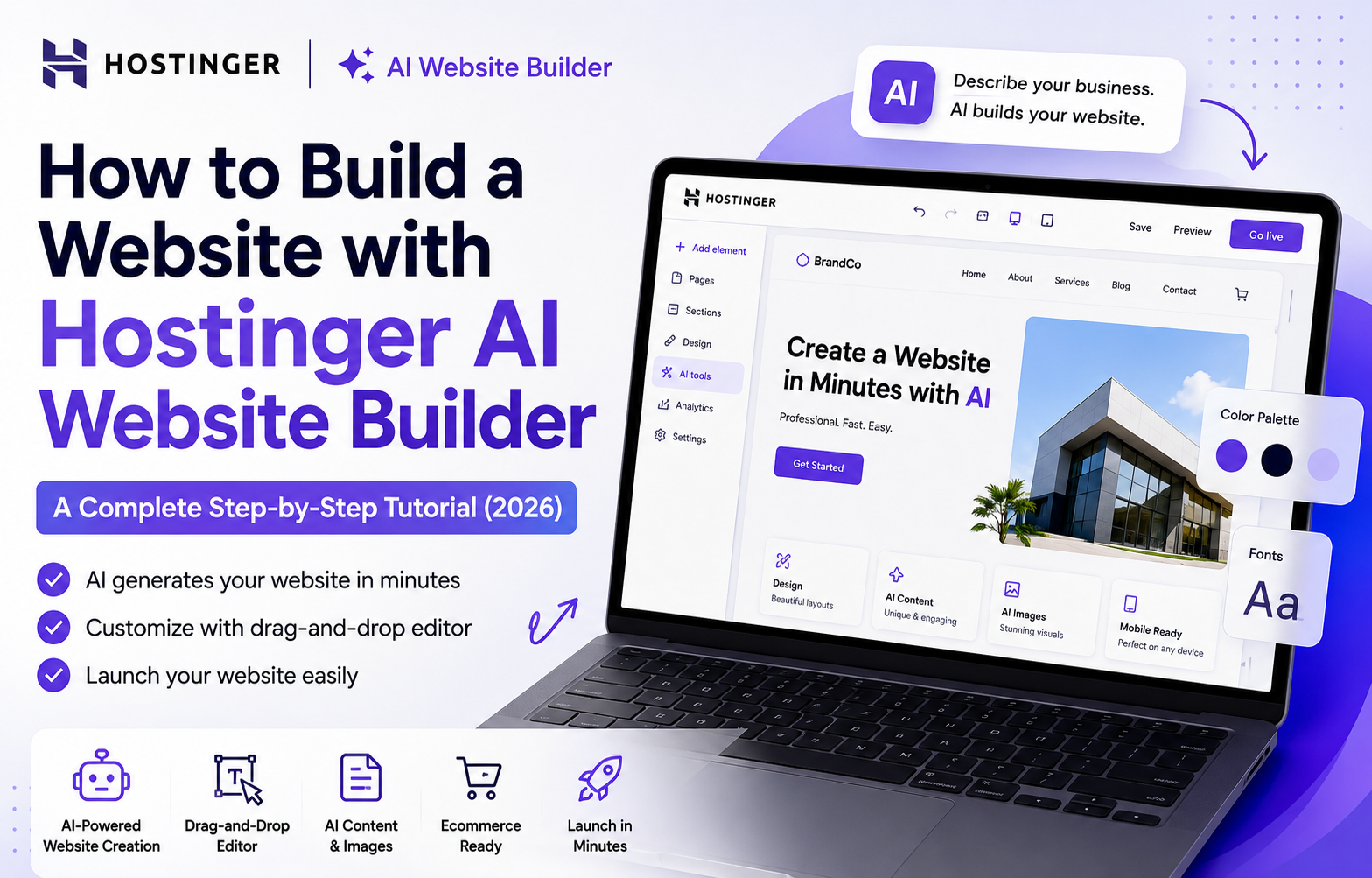
How to Build a Website with Hostinger AI Website Builder: A Complete Step-by-Step Tutorial (2026)
Building a professional website no longer requires coding knowledge, expensive developers, or weeks of design work. Thanks to AI-powered website builders, anyone can create a fully functional website in just a few minutes. One of the most popular solutions available today is Hostinger AI Website Builder – The best AI Website Builder in 2026. Instead of starting with a blank page or manually editing templates, you simply describe your business, choose your preferred style, and let AI generate an entire website complete with layouts, images, copy, and navigation.
Whether you’re creating a business website, portfolio, blog, landing page, or online store, Hostinger’s AI Website Builder helps you launch faster while still giving you complete control through its drag-and-drop editor. This step-by-step tutorial walks you through the entire process, from signing up to publishing your website. You’ll also learn practical tips, prompt-writing techniques, SEO best practices, and customization tricks that can help you create a website that looks professional instead of generic.
In This Guide You’ll Learn
- How to build a website using Hostinger AI Website Builder
- How to write better AI prompts
- How to customize your AI-generated website
- How to use Hostinger’s built-in AI tools
- How to optimize your website for SEO
- How to publish your website
- Common mistakes to avoid
Why Choose Hostinger AI Website Builder?
There are dozens of AI website builders available today, but Hostinger stands out because it combines AI-generated websites with a beginner-friendly visual editor.
Instead of simply producing a homepage, Hostinger can generate a complete website with multiple pages, written content, images, navigation, and responsive layouts. You can then customize every section using an intuitive drag-and-drop editor without writing code.
Some of the biggest advantages include:
- AI-generated website layouts
- AI-written website copy
- Built-in AI image generation
- AI logo creation
- AI blog generator
- AI SEO Assistant
- Ecommerce support
- Mobile-responsive websites
- Hosting included
- Beginner-friendly interface
For freelancers, bloggers, small businesses, agencies, and online stores, Hostinger AI Website Builder provides an excellent balance between automation and creative control.
Hostinger AI Website Builder vs Traditional Website Builders
| Feature | Hostinger AI Website Builder | Traditional Website Builder |
|---|---|---|
| AI Website Generation | ✅ | ❌ |
| Drag-and-Drop Editor | ✅ | ✅ |
| AI Copywriting | ✅ | ❌ |
| AI Image Generation | ✅ | ❌ |
| AI SEO Tools | ✅ | Limited |
| Coding Required | No | Sometimes |
| Mobile Responsive | ✅ | Usually |
| Ecommerce Support | ✅ | Depends on platform |
Who Is This Tutorial For?
This guide is ideal for:
- Beginners creating their first website
- Freelancers building personal portfolios
- Small businesses launching an online presence
- Ecommerce store owners
- Bloggers
- Agencies creating client websites
- Anyone looking for a no-code AI website builder
Even if you’ve never built a website before, you can follow these steps without prior technical experience.
What You’ll Need Before You Start
Before creating your website, gather a few basic things to make the process smoother.
A Hostinger Account
You can start with the 14-day free trial to explore the AI Website Builder before upgrading to a paid plan for publishing.
A Clear Idea of Your Website
Have a basic understanding of:
- Your business or brand name
- What your website will offer
- Your target audience
- Your preferred design style
The AI performs much better when given specific instructions.
A Publishing Plan
Although you can build and preview your website during the free trial, publishing requires selecting one of Hostinger’s website builder plans.
Beginner Tip: Spend a few minutes planning your website before opening the AI builder. A clear description almost always produces better first results than trying to edit a vague AI-generated website later.
Quick note: AI Website Builder vs. Hostinger Horizons
Hostinger currently offers two AI-powered website creation tools. The AI Website Builder generates traditional websites that you customize visually using drag-and-drop editing. This is the best option for business websites, blogs, portfolios, and ecommerce stores. Hostinger Horizons, on the other hand, is designed for AI-assisted web app development through conversational prompts. If your goal is building a standard website, this tutorial focuses on the Hostinger AI Website Builder.
Part 1: Sign Up and Open the AI Builder
- Visit the Hostinger AI Website Builder page.
- Click Start Free Trial or Create with AI.
- Create your account using an email address or Google account.
- Once inside the dashboard, select Create a New Website with AI.
You’ll now reach the AI generation screen, where Hostinger creates your website in just a few simple steps.
Part 2: Generate Your Website with AI
Unlike many website builders that require lengthy questionnaires, Hostinger keeps the AI generation process simple. You’ll complete four main steps.
Step 1: Enter Your Brand Name
Type your business or project name.
Hostinger automatically uses this name in your website header.
If your brand name contains 20 characters or fewer, the AI can also generate a simple SVG logo automatically.
Don’t worry if you already have branding. You can replace the generated logo later with your own design.
Tip: Use your actual business name whenever possible. This creates a more consistent brand identity and helps with SEO later.
Step 2: Choose Your Website Type
Select the option that best describes your website. Available choices include:
- Business Website
- Online Store
- Blog
- Portfolio
- Landing Page
- Other
This selection influences the AI-generated page structure.
For example:
- Choosing Blog automatically creates blog-related pages.
- Choosing Online Store creates ecommerce pages such as products and collections.
- Selecting the correct website type saves significant editing later.
Step 3: Describe Your Website (Most Important Step)
This is where most people make their biggest mistake. The quality of your prompt directly affects the quality of your AI-generated website.
Rather than writing:
“Create a business website.”
Be specific.
Describe:
- What your business does
- Who your customers are
- Services or products offered
- Website goals
- Preferred writing style
- Desired colors
- Brand personality
Keep the description below 700 characters.
Example Prompt (Business Website)
Create a professional website for my digital marketing agency specializing in SEO, content marketing, and website optimization for small businesses. The design should be modern and clean with blue and white colors that communicate trust, expertise, and innovation. Include strong calls to action encouraging visitors to schedule consultations.
Example Prompt (Blog)
Create a friendly blog focused on home gardening, indoor plants, and beginner gardening tutorials. The layout should prioritize readability with calming green colors and easy navigation.
Example Prompt (Online Store)
Create a premium ecommerce website selling handcrafted leather accessories. Use a luxury design with dark colors, elegant typography, and product-focused layouts that emphasize craftsmanship.
If you’re struggling to write a good prompt, tools like ChatGPT can help you create one before pasting it into Hostinger.
SEO Tip: Include your primary service or niche naturally within your prompt. This helps the AI generate more relevant headings and website copy that require less editing later.
Step 4: Personalize the Design
Before the AI generates your website, you’ll have the opportunity to customize its overall appearance.
Click Personalization Settings to choose your preferred design style and color palette.
You’ll typically be able to adjust:
- Website style
- Primary colors
- Secondary colors
- Accent colors
Although these settings can be changed later, spending a few extra minutes here often results in a much stronger first draft.
Design Tip: Choose colors that match your brand rather than selecting trendy palettes. Consistent branding makes your website look more professional and memorable.
When you’re ready, click Create Website ✨. Within about a minute, Hostinger generates a complete website that typically includes:
- Homepage
- Navigation menu
- Relevant pages
- AI-written content
- Images
- Buttons
- Contact sections
- Responsive layouts
Unlike many website builders that simply modify templates, Hostinger generates unique layouts based on your prompt, making every website feel more customized.
Part 3: Review, Regenerate, or Edit
Once your website has been generated, spend a few minutes reviewing it before making edits.
Pay attention to:
- Layout
- Branding
- Headlines
- Images
- Navigation
- Colors
- Calls to action
If you’re happy with the overall structure, click Edit to open the drag-and-drop editor. If the design doesn’t quite match your vision, don’t worry. Hostinger allows you to:
- Regenerate your website
- Try different prompts
- Browse previous AI versions
This flexibility makes experimentation easy.
Beginner Tip: Many users accept the first AI-generated version. Instead, generate two or three variations and choose the strongest foundation before customizing it.
Part 4: Customize with the Drag-and-Drop Editor
The AI creates a strong starting point, but customization is what transforms your website into something unique. Hostinger’s visual editor is intuitive and designed for users with little or no web design experience.
Edit Your Website Copy
Click on any heading or paragraph to edit it directly. Although AI-generated copy is often impressive, it should always be reviewed before publishing.
Consider updating:
- Business descriptions
- Pricing
- Contact information
- Service details
- Testimonials
- Calls to action
This ensures your website accurately represents your business.
SEO Tip: Include your primary keyword naturally within page headings and introductory paragraphs rather than forcing keywords into every section.
Replace Images
Images have a major impact on user experience. Hostinger allows you to:
- Upload your own images
- Choose stock images
- Generate AI images
Whenever possible, use real photos of:
- Your products
- Your team
- Your office
- Your work
- Completed projects
Authentic imagery builds trust far better than generic stock photos.
Rearrange Sections
Every section can be moved, duplicated, deleted, or expanded.
You can also add new sections including:
- Hero banners
- Testimonials
- FAQs
- Contact forms
- Image galleries
- Videos
- Maps
- Pricing tables
Unlike traditional website builders that often restrict layouts, Hostinger gives you considerable flexibility while keeping the editing experience simple.
Customize Fonts and Colors
Consistent branding improves both user experience and professionalism.
Adjust:
- Fonts
- Button styles
- Colors
- Backgrounds
- Spacing
Because these settings apply across the website, a few small changes can completely transform the overall design.
Check Mobile Responsiveness
More than half of website visitors now browse using mobile devices. Hostinger automatically creates responsive websites, but it’s still worth reviewing the mobile version.
Check:
- Font sizes
- Button spacing
- Images
- Menus
- Contact forms
A website that looks perfect on desktop may still require minor adjustments for smartphones.
Review Navigation
Good navigation helps both users and search engines. Ensure your menu includes important pages such as:
- Home
- About
- Services
- Products
- Blog
- Contact
Keep navigation simple and avoid overwhelming visitors with unnecessary menu items.
Part 5: Make the Most of Hostinger’s Built-In AI Tools
One of Hostinger’s biggest advantages is that the AI doesn’t stop after generating your website. Several AI tools remain available inside the editor to help improve content, design, and SEO.
| AI Tool | What It Does |
|---|---|
| AI Text Editor | Rewrite, expand, shorten, or change the tone of any copy on your site. |
| AI Image Generator | Create custom images and graphics from a text prompt when you lack your own photos. |
| AI Logo Maker | Design a distinctive brand logo in seconds. |
| AI Blog Generator | Draft full blog posts to build authority and attract search traffic. |
| AI Product Generator | For stores: upload product photos and let AI write the descriptions. |
| AI SEO Assistant | Generate meta titles, descriptions, and alt text, plus keyword suggestions. |
AI Text Editor
The AI Text Editor can:
- Rewrite content
- Expand sections
- Shorten paragraphs
- Adjust tone
- Improve readability
It’s particularly useful when refining homepage copy or service descriptions.
AI Image Generator
Need custom visuals? The built-in AI Image Generator creates original images from text prompts, helping you quickly add graphics without leaving the website builder.
AI Logo Maker
If you don’t already have branding, the AI Logo Maker can generate simple logo concepts that can later be refined or replaced.
AI Blog Generator
Adding a blog is one of the easiest ways to improve long-term SEO. The AI Blog Generator helps create article drafts that you can edit and publish. Rather than publishing AI-generated posts unchanged, review them carefully, add your own expertise, and ensure all information is accurate.
SEO Tip: AI can speed up content creation, but adding original insights, examples, and experience helps your articles perform better in search results.
AI Product Generator
For ecommerce websites, this tool generates product descriptions from uploaded images, saving significant time when adding inventory.
AI SEO Assistant
The AI SEO Assistant helps optimize important SEO elements including:
- Page titles
- Meta descriptions
- Image alt text
- Keywords
- Basic optimization suggestions
Although these recommendations are helpful, you should still review them manually to ensure they accurately describe each page.
Part 6: Set Up Your Online Store
If you selected Online Store, Hostinger automatically creates the basic ecommerce structure. Next, you’ll need to configure your products and store settings.
Add Products
Include:
- Product names
- Images
- Prices
- Descriptions
- Categories
- Inventory
The AI Product Generator can help create descriptions, but review every listing for accuracy and consistency.
Configure Payments
Choose your preferred payment methods. Hostinger supports numerous payment providers, allowing customers to complete purchases securely.
Configure Shipping and Taxes
Review:
- Shipping zones
- Shipping rates
- Tax settings
Proper configuration helps prevent issues after launch.
Review Product Pages
Visit several product pages before publishing.
Check:
- Images
- Buttons
- Pricing
- Mobile layout
- Checkout flow
Even small improvements can increase conversions.
Part 7: Optimize Your Website for SEO
One of the advantages of Hostinger AI Website Builder is that many technical SEO fundamentals are handled automatically.
These include:
- Responsive layouts
- Fast loading pages
- Secure hosting
- Clean website structure
- SSL certificates
However, there are still several important optimizations you should complete before publishing.
Improve Page Titles
Each page should have a unique SEO title that clearly describes its content.
Write Better Meta Descriptions
Although meta descriptions don’t directly influence rankings, they can improve click-through rates from Google Search.
Add Image Alt Text
Every important image should include descriptive alternative text to improve accessibility and image SEO.
Create Helpful Content
Publishing helpful blog posts remains one of the best long-term SEO strategies.
Focus on answering real customer questions rather than simply promoting your products or services.
Connect Analytics
After publishing, connect:
- Google Analytics
- Google Search Console
- Meta Pixel
These tools help monitor traffic, identify SEO opportunities, and measure marketing performance.
Common Mistakes to Avoid
Many beginners make similar mistakes when using AI website builders. Avoid these common pitfalls:
❌ Writing vague AI prompts
❌ Publishing without reviewing AI-generated content
❌ Ignoring mobile responsiveness
❌ Forgetting SEO titles and meta descriptions
❌ Using only stock images
❌ Leaving placeholder content unchanged
❌ Publishing without testing forms or checkout
Taking a little extra time to review your website before publishing can significantly improve its professionalism and search performance.
Part 8: Connect Your Domain and Publish
Once you’re satisfied with your website’s design and content, you’re ready to publish. Publishing your website is straightforward.
Step 1: Click Publish
Select Go Live or Publish from the top-right corner of the editor.
Step 2: Choose a Domain
You can:
- Register a new custom domain
- Connect an existing domain
- Use a temporary Hostinger subdomain while testing
If you’re purchasing an annual Premium or Business plan, a free domain is typically included for the first year.
Step 3: Review Everything One Last Time
Before publishing, double-check:
- Contact forms
- Navigation menus
- Mobile responsiveness
- Images
- Spelling and grammar
- Calls to action
- SEO titles and meta descriptions
Once published, your website is immediately available online with hosting, SSL, and technical setup already configured.
Launch Tip: Don’t wait for your website to be perfect. Publish a strong version, then continue improving it over time based on visitor feedback and analytics.
Part 9: What to Do After Publishing
Launching your website is only the beginning. Successful websites continue evolving over time.
Test Every Important Page
Visit every page on desktop and mobile.
Check:
- Buttons
- Forms
- Images
- Internal links
- Contact information
- Checkout (for ecommerce sites)
Broken links and missing information create a poor first impression.
Monitor Website Performance
After launch, connect:
- Google Search Console
- Google Analytics
- Microsoft Clarity (optional)
These tools help you understand:
- Which pages receive the most traffic
- Which keywords people use to find your website
- Where visitors leave your site
- Opportunities to improve conversions
Continue Publishing Content
One of the easiest ways to improve SEO is by regularly publishing useful content. Consider creating articles that answer common customer questions, explain your products or services, or provide practical tips related to your industry. Consistent publishing helps search engines discover new content while giving visitors more reasons to return.
Update Your Website Regularly
Even small updates send positive freshness signals to search engines. Examples include:
- Adding new testimonials
- Updating service pages
- Publishing blog posts
- Improving images
- Refreshing homepage content
A website should be treated as an ongoing project rather than something you publish once and forget.
Pricing Overview
You can build and preview your website during Hostinger’s free trial. Publishing requires choosing a paid Website Builder plan.
| Plan | Best For | Starting Price |
|---|---|---|
| Starter Website Builder | Beginners; a single simple site | ~₹69/mo |
| Premium Website Builder | Personal sites & small businesses; free domain for a year, drag-and-drop builder | ~₹149/mo |
| Business Website Builder | Ecommerce & growth: up to 50 sites, sell up to 1,000 products, zero transaction fees, full AI toolkit | ~₹249/mo |
All plans include hosting, SSL certificates, a 30-day money-back guarantee, and 24/7 support. For ecommerce and the complete AI toolkit, the Business plan is the sweet spot.
Note: Pricing changes periodically. Always check Hostinger’s official pricing page for the latest offers.
Frequently Asked Questions
Is Hostinger AI Website Builder good for beginners?
Yes. Hostinger AI Website Builder is designed specifically for beginners. You don’t need coding or web design experience to create a professional website using its AI generation and drag-and-drop editor.
Can I edit the AI-generated website?
Absolutely. Every element generated by AI can be customized, including:
- Text
- Images
- Colors
- Layout
- Fonts
- Navigation
- Pages
Think of AI as creating the first draft of your website. You remain in complete control of the final design.
Is Hostinger AI Website Builder good for SEO?
Yes. Hostinger includes several SEO-friendly features such as:
- Responsive websites
- Fast hosting
- SSL certificates
- AI SEO Assistant
- Meta title editing
- Meta description editing
- Image alt text generation
However, good SEO also depends on creating helpful content, publishing regularly, and understanding your audience.
Can I migrate an existing website?
Yes. If you already have a website, you can move your domain and recreate or migrate content into Hostinger, depending on your setup.
Is Hostinger AI Website Builder better than Wix AI?
Both platforms use artificial intelligence to simplify website creation. Hostinger focuses on combining AI generation with a straightforward drag-and-drop editor and integrated hosting, while Wix AI offers a broader ecosystem of templates and business apps. The best choice depends on your workflow, design preferences, and budget.
Can I build an online store?
Yes. Hostinger AI Website Builder supports ecommerce websites with:
- Product pages
- Payment gateways
- Inventory management
- Shipping configuration
- AI-generated product descriptions
Does Google penalize AI-generated websites?
No. Google evaluates websites based on the quality and usefulness of their content rather than how the website was created. Whether you build your site manually or with AI, success depends on providing helpful information and a positive user experience.
Do I need coding experience?
No. Hostinger AI Website Builder is a no-code platform. Everything can be customized visually using the drag-and-drop editor.
Final Thoughts
Hostinger AI Website Builder has made website creation significantly more accessible. Instead of spending weeks designing layouts, writing copy, and configuring technical settings, you can generate a professional website in minutes and refine it using an intuitive visual editor.
While AI dramatically speeds up the process, the best results still come from adding your own expertise. Review the generated content, replace generic images with authentic visuals, improve your SEO, and customize the design to reflect your brand. These small adjustments can make the difference between a good website and one that truly stands out.
Whether you’re launching a business, portfolio, blog, or ecommerce store, Hostinger provides an excellent starting point for building a modern website without coding.
If you’re exploring more AI-powered software beyond website builders, don’t stop here. GoToAI Directory helps you discover and compare hundreds of AI tools for content creation, SEO, marketing, productivity, automation, design, coding, and more. It’s a valuable resource for finding the right tools to grow your website and streamline your workflow.
Discover More AI Tools for Your Business
Hostinger AI Website Builder is an excellent option for creating websites quickly, but it’s only one of many AI-powered tools that can help grow your business. If you’re looking for more AI software, GoToAI Directory is a great place to start. You can explore hundreds of AI tools across categories including:
- AI Website Builders
- AI Writing Tools
- AI SEO Tools
- AI Marketing Tools
- AI Productivity Tools
- AI Image Generators
- AI Video Tools
- AI Coding Assistants
Whether you’re building a website, improving your SEO, creating content, or automating workflows, GoToAI Directory makes it easier to discover and compare the right AI tools for your needs.
👉 Explore more AI tools at GoToAI Directory