Creating content has never been easier, yet it has never been more competitive. Whether you’re building a YouTube channel, creating Instagram Reels, posting TikTok videos, launching a podcast, or growing a personal brand, producing high-quality content consistently requires much more than creativity. Behind every successful piece of content is a workflow that includes research, scripting, recording, editing, designing thumbnails, optimizing for search, publishing, and promoting.
Fortunately, artificial intelligence is transforming every stage of that workflow. Today’s AI tools can help generate ideas, write scripts, create voiceovers, edit videos, produce graphics, improve search visibility, and organize your publishing schedule. Instead of replacing creators, these tools eliminate repetitive tasks so you can spend more time creating content that connects with your audience.
The challenge isn’t finding AI tools anymore. It’s choosing the ones that genuinely improve your workflow.
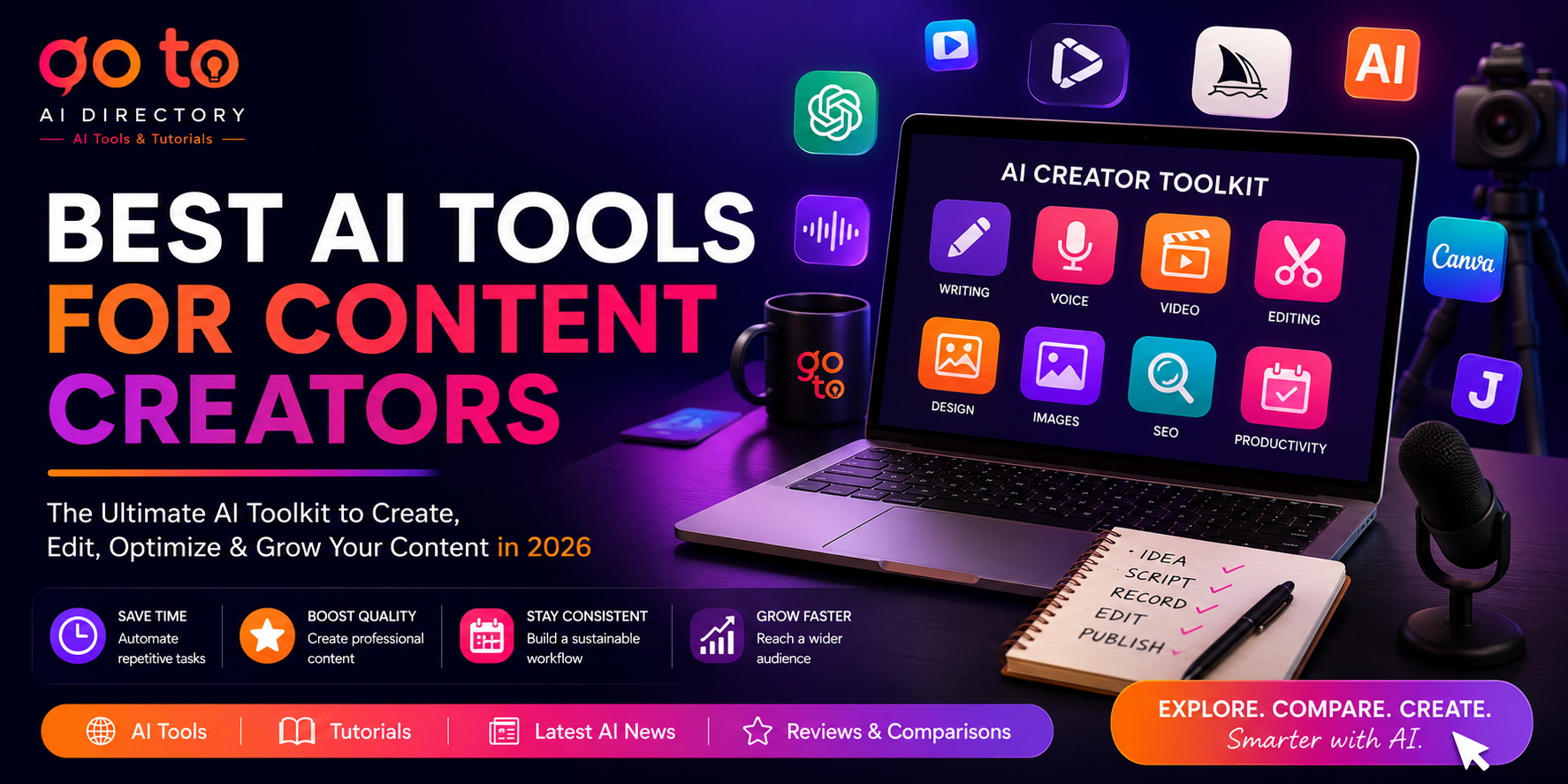
This guide compares the best AI tools for content creators and YouTubers in 2026, organized by the different stages of content creation. Rather than simply listing software, we’ll explain what each tool does, who it’s best for, and how it fits into a modern creator workflow.
Who Is This Guide For?
This guide is designed for anyone who creates digital content, including:
- YouTubers
- Bloggers
- TikTok creators
- Instagram creators
- Podcasters
- Online educators
- Coaches
- Freelancers
- Marketing teams
- Small businesses
Whether you’re creating educational content, product reviews, tutorials, interviews, or social media videos, these AI tools can help you save time while maintaining quality.
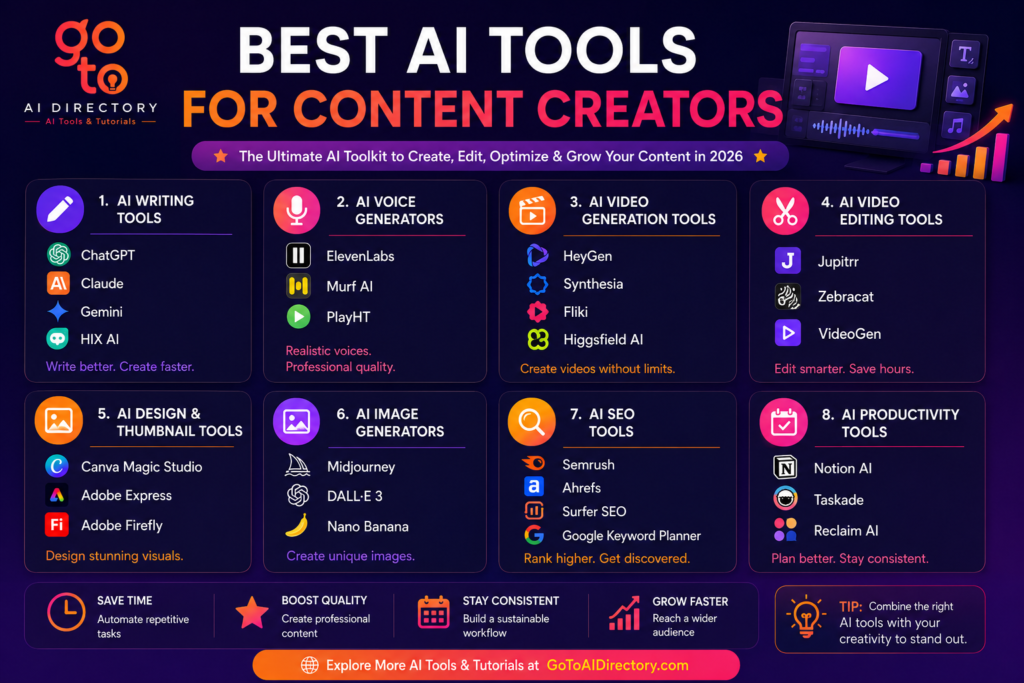
Quick Comparison: Best AI Tools for Content Creators
| Content Stage | Recommended Tools | Best For |
|---|---|---|
| Ideas & Script Writing | ChatGPT, Claude, Gemini, Hix AI | Brainstorming & writing |
| AI Voiceovers | ElevenLabs, Murf AI | Narration & faceless videos |
| AI Video Generation | HeyGen, Synthesia, Fliki, Higgsfield AI | Video production |
| Video Editing | Jupitrr, Zebracatm Videogen | B-roll & captions |
| Graphics & Thumbnails | Canva Magic Studio, Adobe Express, Adobe Firefly | Design |
| AI Images | Midjourney, DALL·E 3, Nano Banana | Custom visuals |
| SEO | Semrush, Ahrefs, Surfer SEO | Discoverability |
| Productivity | Notion AI, Taskade | Planning & organization |
How We Chose These AI Tools
Hundreds of AI tools are available today, but not every platform is useful for creators.
For this guide, we evaluated each tool based on:
- Ease of use
- Quality of output
- Time-saving features
- Creator-focused workflow
- Reliability
- Flexibility
- Overall value
Rather than focusing on popularity alone, we selected tools that solve real problems throughout the content creation process.
1. AI Tools for Ideas, Scripts & Writing
Every successful piece of content starts with an idea. Whether you’re planning YouTube videos, podcasts, newsletters, blogs, or social media posts, AI writing assistants can dramatically reduce the time spent researching and writing while helping overcome creative blocks.
Instead of staring at a blank page, creators can use AI to generate ideas, organize outlines, write first drafts, improve headlines, and repurpose content into multiple formats.
AI Writing Tools Comparison
| Tool | Best For | Beginner Friendly |
|---|---|---|
| ChatGPT | General writing & brainstorming | ⭐⭐⭐⭐⭐ |
| Claude | Long-form writing | ⭐⭐⭐⭐⭐ |
| Gemini | Research & educational content | ⭐⭐⭐⭐☆ |
| HIX AI | Blogging & content creation | ⭐⭐⭐⭐⭐ |
1. ChatGPT
ChatGPT has become one of the most widely used AI tools among creators because of its flexibility. It can help generate content ideas, write YouTube scripts, create blog outlines, improve titles, write video descriptions, brainstorm hooks, and even repurpose one piece of content into several formats.
Its biggest advantage is adaptability. Instead of relying on templates, creators can customize prompts to match their niche and writing style.
Key Features
- Content brainstorming
- Script writing
- Blog creation
- Social media captions
- YouTube descriptions
- Content repurposing
- Research assistance
Pros
- Extremely versatile
- Beginner friendly
- Fast content generation
- Works across multiple content formats
Cons
- Requires detailed prompts for the best results
- Output should always be edited before publishing
Best For
- YouTubers
- Bloggers
- Content marketers
- Freelancers
- Small businesses
Creator Tip: Use ChatGPT for first drafts, then add your own stories, opinions, and examples. Your unique perspective is what makes your content memorable.
2. Claude
Claude is particularly strong at handling long-form content. It excels at organizing complex ideas, improving readability, and editing lengthy scripts without losing context.
Creators often use Claude for educational videos, research-heavy blogs, podcast scripts, and detailed tutorials.
Key Features
- Long-context conversations
- Script editing
- Research summaries
- Tone improvements
- Article rewriting
Pros
- Excellent writing quality
- Strong editing capabilities
- Natural conversational tone
Cons
- Less focused on creative multimedia workflows
Best For
- Educators
- Bloggers
- Coaches
- Researchers
3. Gemini
Gemini combines AI writing with Google’s research capabilities, making it useful for creators who publish educational or data-driven content.
It works particularly well when researching topics, organizing information, and generating structured outlines.
Key Features
- Research assistance
- Content writing
- Brainstorming
- Multimodal understanding
- Google Workspace integration
Pros
- Excellent research support
- Strong factual organization
- Helpful for educational content
Cons
- Creative writing sometimes requires refinement
Best For
- Educational channels
- Businesses
- Technical creators
4. HIX AI
HIX AI is an all-in-one AI writing platform designed for creators, bloggers, marketers, and businesses that need to produce high-quality content efficiently. Instead of relying on a single chatbot, HIX AI offers a collection of AI writing tools for generating blog posts, YouTube scripts, social media captions, email copy, product descriptions, and marketing content.
One of its biggest strengths is the ability to streamline multiple content creation tasks from a single platform. Whether you’re planning a YouTube video, writing a blog post, or creating captions for social media, HIX AI helps speed up the writing process while maintaining consistency across different content formats.
Key Features
- AI article writer
- YouTube script generation
- Blog writing
- Social media content
- Email writing
- Content rewriting
- Grammar improvement
- AI-powered writing assistant
Pros
- Beginner friendly
- Supports multiple content formats
- Helpful for long-form and short-form writing
- Speeds up content production
Cons
- AI-generated content should always be reviewed and personalized before publishing
Best For
- Bloggers
- YouTubers
- Content creators
- Freelancers
- Small businesses
Which AI Writing Tool Should You Choose?
If you’re looking for an all-purpose AI writing assistant, ChatGPT remains one of the most versatile choices for brainstorming, scripting, and content planning.
Choose Claude for long-form educational content that requires better context handling. Gemini is ideal for research-driven articles and creators who work within Google’s ecosystem. If your workflow revolves around creating blogs, YouTube scripts, marketing copy, and social media content from one platform, HIX AI offers one of the most comprehensive writing toolkits available.
2. AI Voiceover & Text-to-Speech Tools
High-quality narration has become an essential part of modern content creation, especially for faceless YouTube channels, tutorials, podcasts, online courses, and product demonstrations.
AI voice generators now sound remarkably natural while supporting multiple languages and voice styles.
AI Voice Tools Comparison
| Tool | Best For | Voice Quality |
|---|---|---|
| ElevenLabs | Narration & voice cloning | ⭐⭐⭐⭐⭐ |
| Murf AI | Professional voiceovers | ⭐⭐⭐⭐⭐ |
1. ElevenLabs
ElevenLabs is widely regarded as one of the most realistic AI voice generators available today. Its advanced voice synthesis and cloning technology produce natural-sounding narration that is difficult to distinguish from human speech.
Creators use it for YouTube videos, podcasts, audiobooks, online courses, dubbing, and multilingual content.
Key Features
- AI narration
- Voice cloning
- Multiple languages
- AI dubbing
- Voice customization
Pros
- Exceptional voice quality
- Excellent multilingual support
- Realistic pronunciation
Cons
- Voice selection may require experimentation
Best For
- Faceless YouTube channels
- Podcasts
- Audiobooks
- Educational content
2. Murf AI
Murf AI specializes in professional-quality voiceovers for presentations, training videos, explainers, and marketing content.
Its studio-quality voices make it popular among businesses and educators looking for polished narration.
Key Features
- Studio-quality voices
- AI narration
- Multiple languages
- Voice customization
- Presentation integration
Pros
- Professional sound
- Easy to use
- Reliable output
Cons
- Less focused on entertainment content
Best For
- Businesses
- Educators
- Marketing teams
- Corporate training
Which AI Voice Tool Should You Choose?
Choose ElevenLabs if you need realistic narration for YouTube videos, podcasts, or audiobooks.
Choose Murf AI if you primarily create business presentations, online courses, or professional marketing content.
Voice Tip: Even the best AI voice sounds more natural when your script uses short, conversational sentences rather than long paragraphs.
3. AI Video Generation Tools
Video production is one of the most time-consuming parts of content creation, but AI has made it significantly faster. Whether you need AI avatars, text-to-video generation, or cinematic short-form clips, today’s AI video tools can help you create professional content without expensive equipment or advanced editing skills.
AI Video Tools Comparison
| Tool | Best For | Beginner Friendly |
|---|---|---|
| HeyGen | AI avatars & business videos | ⭐⭐⭐⭐⭐ |
| Synthesia | Training & educational videos | ⭐⭐⭐⭐⭐ |
| Fliki | Blog-to-video conversion | ⭐⭐⭐⭐⭐ |
| Higgsfield AI | Cinematic short-form videos | ⭐⭐⭐⭐☆ |
1. HeyGen
HeyGen is one of the best AI video generators for creators who want to produce professional talking-head videos without appearing on camera. Simply upload a script, choose an AI avatar, and generate videos in multiple languages with realistic lip-syncing and voiceovers.
Key Features
- AI avatars
- Video translation
- Voice cloning
- Screen recording
- Custom avatars
Pros
- Extremely realistic avatars
- Beginner friendly
- Excellent multilingual support
Cons
- Primarily designed for presenter-style videos
Best For
- YouTubers
- Business creators
- Online educators
- Product demos
2. Synthesia
Synthesia focuses on business communication, online training, and educational content. Its professional avatar library and polished templates make it popular among companies creating onboarding videos, tutorials, and internal communications.
Key Features
- AI presenters
- Video templates
- Multilingual support
- Brand customization
- Screen recording
Pros
- Professional output
- Easy to scale training videos
- Excellent localization
Cons
- Less creative than cinematic AI video tools
Best For
- Businesses
- Educators
- Corporate training
- Online courses
3. Fliki
Fliki transforms blog posts, articles, and scripts into narrated videos using realistic AI voices. It’s particularly useful for creators who want to repurpose written content into YouTube videos, Shorts, or social media clips.
Key Features
- Blog-to-video
- AI voiceovers
- AI subtitles
- Stock media
- Text-to-video
Pros
- Great for content repurposing
- Easy workflow
- Beginner friendly
Cons
- Advanced editing is limited
Best For
- Bloggers
- YouTubers
- Content marketers
- Social media creators
4. Higgsfield AI
Higgsfield AI is designed for creators producing cinematic short-form videos. It offers AI-generated scenes, advanced camera movements, image-to-video generation, and visual storytelling tools that work particularly well for TikTok, Instagram Reels, and YouTube Shorts.
Key Features
- Text-to-video
- Image-to-video
- Cinematic camera controls
- Character consistency
- AI scene generation
Pros
- Excellent cinematic quality
- Great for viral short-form content
- Creative flexibility
Cons
- Better suited to visual storytelling than presenter videos
Best For
- Short-form creators
- Advertisers
- Creative professionals
- Storytelling channels
Which AI Video Tool Should You Choose?
Choose HeyGen if you regularly create talking-head or business videos.
Choose Synthesia for educational and corporate training content.
Choose Fliki if you want to turn written content into engaging videos.
Choose Higgsfield AI if your focus is cinematic YouTube Shorts, TikTok, or Instagram Reels.
Creator Tip: AI can generate impressive videos, but your storytelling, pacing, and hook are still what determine whether viewers keep watching.
4. AI Video Editing Tools
Recording a video is only half the job. Editing often takes longer than filming itself. AI-powered editors automate repetitive tasks such as captions, B-roll insertion, and visual enhancements.
AI Video Editing Comparison
| Tool | Best For | Beginner Friendly |
|---|---|---|
| Jupitrr | Talking-head videos & podcasts | ⭐⭐⭐⭐ |
| Zebracat | Text-to-video & social media videos | ⭐⭐⭐⭐ |
| VideoGen | Faceless YouTube videos & stock videos | ⭐⭐⭐⭐⭐ |
1. Jupitrr
Jupitrr helps creators automatically add captions, B-roll, animations, charts, and stock footage to existing videos. Instead of manually editing timelines, the AI analyzes your transcript and inserts relevant visuals automatically.
Key Features
- Automatic B-roll
- AI captions
- Transcript analysis
- Animated text
- Stock media integration
Pros
- Saves editing time
- Excellent caption generation
- Great for educational content
Cons
- Designed for post-production rather than full video creation
Best For
- YouTubers
- Podcasters
- Educators
- Business creators
2. Zebracat
Zebracat helps creators transform simple text prompts, blog posts, or scripts into engaging short-form videos. The platform automatically combines AI-generated visuals, stock footage, captions, transitions, and music to create videos optimized for TikTok, Instagram Reels, YouTube Shorts, and other social media platforms.
Its intuitive interface makes it easy for beginners to create videos without prior editing experience.
Key Features
- Text-to-video
- AI visuals
- Automatic captions
- Social media templates
- AI voiceovers
- Stock footage
Pros
- Extremely easy to use
- Great for short-form content
- Fast video generation
- Ideal for social media
Cons
- Less suitable for advanced cinematic editing
Best For
- Short-form creators
- Social media marketers
- Small businesses
- Beginners
3. VideoGen
VideoGen is built for creators who want to produce videos quickly using AI-generated visuals, realistic voiceovers, and royalty-free stock footage. It is especially popular among creators running faceless YouTube channels because it can automatically assemble videos from scripts without requiring manual editing.
The platform helps reduce production time while maintaining a professional appearance, making it useful for educational videos, explainers, and marketing content.
Key Features
- AI video generation
- Stock footage library
- AI voiceovers
- Automatic scene generation
- Text-to-video
- Script-based workflow
Pros
- Excellent for faceless YouTube channels
- Fast production workflow
- Beginner friendly
- Large stock footage library
Cons
- Limited advanced editing compared to professional video editors
Best For
- Faceless YouTube channels
- Educational creators
- Marketers
- Businesses
Which Editing Tool Should You Choose?
If you primarily record yourself on camera, Jupitrr is one of the best options for automatically adding captions, B-roll, and visual enhancements. Choose Zebracat if your workflow focuses on creating short-form content for platforms like TikTok, Instagram Reels, and YouTube Shorts directly from text or blog posts.
If you manage a faceless YouTube channel or regularly create explainer videos, VideoGen offers one of the fastest ways to transform scripts into polished videos using AI-generated visuals and voiceovers.
Creator Tip: Instead of creating separate videos for every platform, produce one long-form video first, then use AI editing tools to repurpose it into YouTube Shorts, Instagram Reels, TikTok videos, and LinkedIn clips. Repurposing content this way can significantly increase your reach without dramatically increasing production time.
Editing Tip: Batch-edit multiple videos in one session instead of editing each video separately. This improves consistency and saves hours every week.
5. AI Design & Thumbnail Tools
Great thumbnails and branding often influence click-through rates more than expensive editing.
A strong thumbnail helps your content stand out before viewers even watch your video.
AI Design Tools Comparison
| Tool | Best For | Beginner Friendly |
|---|---|---|
| Canva Magic Studio | Thumbnails & graphics | ⭐⭐⭐⭐⭐ |
| Adobe Express | Social media branding | ⭐⭐⭐⭐⭐ |
| Adobe Firefly | Commercial AI graphics | ⭐⭐⭐⭐☆ |
1. Canva Magic Studio
Canva remains one of the easiest design platforms for creators. Its AI features help generate thumbnails, banners, presentations, and social media graphics while offering thousands of customizable templates.
Best For
- YouTube thumbnails
- Channel branding
- Social media posts
2. Adobe Express
Adobe Express combines AI with professional templates, making it easy to create polished graphics, short videos, and promotional material.
Best For
- Brand consistency
- Marketing content
- Business creators
3. Adobe Firefly
Firefly focuses on commercially safe AI image generation and editing. It integrates well with Adobe’s creative ecosystem and is ideal for creators who require custom graphics.
Best For
- Commercial projects
- Graphic design
- Marketing visuals
Which Design Tool Should You Choose?
Canva is the easiest option for most creators, while Adobe Express and Firefly provide more flexibility for businesses and designers.
Thumbnail Tip: Create a reusable thumbnail template with consistent fonts, colors, and branding. This strengthens channel recognition and speeds up production.
6. AI Image Generators
Custom visuals help your content stand out from stock images. AI image generators can produce thumbnails, concept art, YouTube backgrounds, social media graphics, and marketing visuals in minutes.
AI Image Comparison
| Tool | Best For |
|---|---|
| Midjourney | Artistic & photorealistic images |
| DALL·E 3 | Natural language image generation |
| Nano Banana | Editing & consistent characters |
1. Midjourney
Midjourney is one of the most popular AI image generators for content creators who need visually striking artwork, realistic illustrations, and high-quality concept images. Its advanced image generation capabilities make it ideal for creating YouTube thumbnails, social media graphics, blog visuals, marketing assets, and creative branding. While it has a slight learning curve, the quality of its output is among the best available.
Key Features
- Text-to-image generation
- Photorealistic artwork
- Artistic styles
- High-resolution images
- Prompt customization
Pros
- Exceptional image quality
- Highly creative outputs
- Excellent for unique visuals
Cons
- Requires some prompt experimentation
- Primarily Discord-based workflow
Best For
- YouTube thumbnails
- Concept art
- Social media graphics
- Creative branding
2. DALL·E 3
DALL·E 3, developed by OpenAI and integrated with ChatGPT, makes AI image generation simple through natural language prompts. It’s particularly useful for creators who want to quickly generate illustrations, blog graphics, marketing visuals, or social media images without learning complex prompt engineering. Its seamless integration with ChatGPT also makes editing and refining images more intuitive.
Key Features
- Natural language image generation
- Conversational editing
- Multiple image styles
- ChatGPT integration
- Fast image creation
Pros
- Easy for beginners
- Simple prompt editing
- Great for marketing visuals
Cons
- Less artistic flexibility than Midjourney
Best For
- Blog graphics
- Marketing materials
- Social media posts
- Educational illustrations
3. Nano Banana
Nano Banana is an AI image generation and editing tool that focuses on maintaining character consistency across multiple images. This makes it especially useful for creators producing comics, visual storytelling, branded content, or recurring social media characters. Its conversational editing workflow also allows creators to refine images without starting over from scratch.
Key Features
- AI image editing
- Character consistency
- Conversational editing
- Image refinement
- Style preservation
Pros
- Excellent for consistent branding
- Easy image editing workflow
- Great for storytelling
Cons
- Better suited for editing than creating highly artistic images
Best For
- Storytelling
- Brand mascots
- Posters
- Recurring characters
- Social media branding
Which AI Image Generator Should You Choose?
Choose Midjourney if your priority is creating premium-quality artwork, YouTube thumbnails, and eye-catching visuals. DALL·E 3 is an excellent choice for creators who already use ChatGPT and want an easy way to generate blog graphics, marketing images, and illustrations. If your projects require consistent characters or ongoing visual branding, Nano Banana offers powerful editing capabilities that help maintain a cohesive look across multiple images.
Image Tip: Combine AI-generated visuals with your own photography or branding elements to create more original-looking content.
7. AI SEO Tools
Creating great content isn’t enough if people can’t find it.
SEO tools help identify topics your audience is searching for and optimize content for long-term discoverability.
AI SEO Comparison
| Tool | Best For |
|---|---|
| Semrush | Complete SEO strategy |
| Ahrefs | Keyword research |
| Surfer SEO | Content optimization |
| Google Keyword Planner | Free keyword research |
1. Semrush
Semrush is an all-in-one SEO platform that helps creators discover keyword opportunities, monitor rankings, analyze competitors, and plan content strategies. It’s particularly useful for bloggers, affiliate marketers, and businesses looking to grow their organic traffic.
Best For: Complete SEO strategy, keyword research, competitor analysis
2. Ahrefs
Ahrefs is widely used for keyword research and backlink analysis. It helps creators identify topics with strong search demand, understand what competitors are ranking for, and discover opportunities to create content that fills gaps in the market.
Best For: Keyword research, competitor analysis, backlink tracking
3. Surfer SEO
Surfer SEO analyzes top-ranking pages and provides real-time recommendations while you’re writing. It suggests relevant keywords, heading structure, and content improvements to help create articles that better match search intent.
Best For: Content optimization, on-page SEO, blog writing
4. Google Keyword Planner
Google Keyword Planner is a free tool that helps creators discover keyword ideas and understand search trends. While it’s designed for advertisers, it’s also a useful starting point for finding topics that people are actively searching for.
Best For: Free keyword research, topic discovery, search trends
SEO Tip: Balance evergreen content with trending topics in your content strategy. Evergreen tutorials, buying guides, and “how-to” articles can generate consistent traffic for months or even years, while trending content helps attract new audiences and capitalize on current interest.
8. AI Productivity Tools
Consistency is often the biggest challenge creators face.
Productivity tools help organize ideas, schedule work, and manage publishing pipelines.
Productivity Tools Comparison
| Tool | Best For | Beginner Friendly |
|---|---|---|
| Notion AI | Content planning & knowledge management | ⭐⭐⭐⭐⭐ |
| Taskade | Project management & team collaboration | ⭐⭐⭐⭐⭐ |
| Reclaim AI | Smart calendar & time management | ⭐⭐⭐⭐☆ |
Choose the platform that fits your workflow rather than trying to use several productivity apps at once.
Notion AI
Notion AI combines note-taking, project management, and AI writing assistance in one workspace. Many creators use it to manage content calendars, organize research, store scripts, and keep track of ideas across multiple platforms. Its AI features can also summarize notes, generate outlines, and help brainstorm content ideas.
Best For: Content planning, script organization, content calendars, knowledge management
Taskade
Taskade is an AI-powered productivity platform designed for individuals and teams. It helps creators manage projects, assign tasks, collaborate in real time, and even automate workflows using AI agents. It’s particularly useful for creators working with editors, designers, or virtual assistants.
Best For: Project management, team collaboration, workflow automation
Reclaim AI
Reclaim AI automatically organizes your calendar by intelligently scheduling tasks, meetings, and focused work sessions around your existing commitments. For busy creators balancing content production with client work or business operations, it helps protect dedicated time for deep work and reduces scheduling conflicts.
Best For: Calendar management, time blocking, productivity planning
Productivity Tip: Batch similar tasks together, such as scripting, recording, editing, or designing thumbnails—instead of switching between different activities throughout the day. This reduces context switching and helps you create content more efficiently.
Build Your AI Creator Stack
Most creators don’t need twenty different AI tools.
A simple workflow is usually enough.
Beginner Stack
- ChatGPT
- Canva Magic Studio
- Fliki
- Google Keyword Planner
- Notion AI
Advanced Stack
- Claude
- ElevenLabs
- HeyGen
- Jupitrr
- Midjourney
- Semrush
- Taskade
Start with the tool that solves your biggest bottleneck before expanding your workflow.
Common Mistakes Content Creators Make
Avoid these common mistakes:
- Publishing AI-generated scripts without editing.
- Ignoring SEO.
- Using too many AI tools.
- Neglecting thumbnails.
- Forgetting audience engagement.
- Chasing trends without evergreen content.
- Skipping fact-checking.
AI should improve your workflow, not replace your creativity.
Discover More AI Tools on GoToAI Directory
The AI landscape evolves quickly, with new creator tools launching every month. If you’re comparing AI writing assistants, video generators, SEO tools, image creators, or productivity software, explore GoToAI Directory.
You’ll find:
- Hundreds of AI tools
- In-depth comparisons
- Step-by-step tutorials
- Latest AI news
- Buying guides
- Workflow recommendations
Whether you’re growing a YouTube channel or building a content business, GoToAI Directory helps you discover the right AI tools for every stage of your workflow.
Final Thoughts
Artificial intelligence has transformed content creation by making professional-quality production accessible to individuals and small teams. The best AI tools are not those that replace creativity but those that remove repetitive tasks, allowing creators to focus on storytelling, audience engagement, and building their brand.
Rather than trying every AI platform available, start with one tool for each stage of your workflow and expand as your needs grow. A well-chosen AI stack can save hours every week while helping you produce more consistent, higher-quality content.
Whether you’re creating YouTube videos, podcasts, blogs, or social media content, combining the right AI tools with your own creativity is one of the smartest ways to grow in 2026.
Frequently Asked Questions
What is the best AI tool for YouTubers?
There isn’t one single tool. ChatGPT, ElevenLabs, HeyGen, Canva, and Semrush toxfgether cover most creator workflows.
Can AI create an entire YouTube video?
Yes. AI can generate scripts, voiceovers, videos, thumbnails, and captions, although human editing is still recommended.
Which AI tool is best for beginners?
ChatGPT, Canva Magic Studio, Fliki, and Notion AI are excellent starting points because they are easy to learn and support a wide range of tasks.
Do AI tools help YouTube SEO?
Yes. AI tools can assist with keyword research, content optimization, titles, descriptions, and planning, but they work best when combined with a strong content strategy.