How to Build a Website With AI: A Beginner’s Guide (2026)
Building a website no longer requires learning HTML, CSS, or JavaScript. With the right tools, you can describe what you want, generate a website layout, add content, and publish it without writing code.
If you’re wondering how to build a website with AI, the process is fairly straightforward. You choose an AI website builder, explain what your website needs, review the generated design, and customize it before publishing.
However, different tools approach website creation differently. Some use visual editors, others rely on conversational prompts, and some generate websites using platforms such as WordPress. The results also depend on how clearly you describe your requirements and how carefully you review the finished website.
In this guide, we’ll create the same example website using five AI website builders for beginners: Wix, Framer, Hostinger, Lovable, and 10Web. We’ll explore their creation workflows, explain how to customize an AI-generated website, and cover the essential steps before publishing.
Can You Really Build a Website With AI Without Coding?
Yes. AI website builders can generate website pages, layouts, and content based on written instructions or answers to a series of questions. For basic websites, such as portfolios, landing pages, and small business websites, much of the creation process can be completed without programming knowledge.
For example, you could enter:
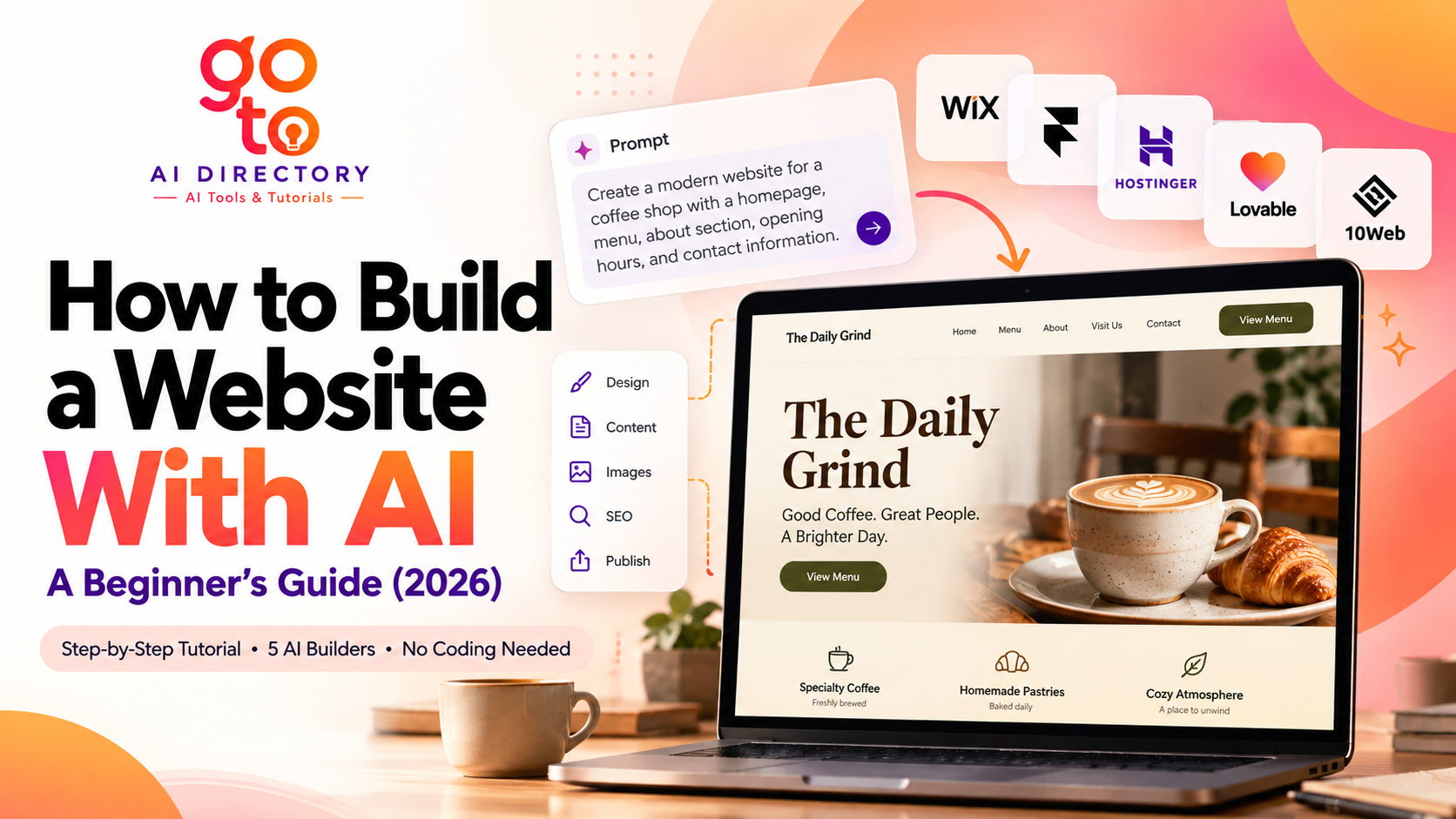
“Create a simple website for a local coffee shop with a homepage, menu, about section, opening hours, and contact information.”
The AI may generate a website with these sections, along with sample text, images, and navigation elements. You can then adjust the content and appearance using the editing tools available on the platform.
That doesn’t mean the website is immediately ready for visitors. Generated content may include placeholders or inaccurate information, and interactive elements may need additional configuration. AI can reduce the work involved in creating a website, but reviewing and testing the result remains essential.
Step 1: Plan Your Website Before Using AI
The first step in learning how to build a website with AI is deciding what the website should accomplish. Before choosing a tool, identify your audience, the information visitors need, and the actions you want them to take.
For this tutorial, we’ll create a fictional coffee shop website called The Daily Grind. It will be a simple informational website designed to help visitors explore the menu, learn about the café, and find its contact information.
| Element | Website requirements |
|---|---|
| Website name | The Daily Grind |
| Website type | Coffee shop website |
| Design style | Minimalist, warm, welcoming |
| Colors | Cream, dark brown, muted green |
| Main sections | Home, Menu, About, Visit Us, Contact |
| Navigation | Links to each section |
| Main button | View Menu |
| Mobile layout | Responsive design |
We’ll use these requirements across all five builders. This gives us a consistent example for explaining how each platform works, although the comparison is based on documented capabilities rather than completed live builds.
For your own website, adapt the structure to your purpose. A freelancer might need a portfolio and contact form, while a local service business may need service descriptions, opening hours, and location details.
Step 2: Write a Clear AI Website-Building Prompt
A useful prompt should explain what the website is for, who will use it, what content it needs, and how it should look. Vague instructions leave more decisions to the AI and may produce a design that requires substantial editing.
For The Daily Grind, we’ll use the following prompt:
Example prompt
Create a modern, responsive website for a fictional neighborhood coffee shop called The Daily Grind.
Use a warm, minimalist design with cream backgrounds, dark brown text, muted green accents, and clear typography.
Include a homepage with a welcoming headline and a View Menu button, a menu section with coffee, tea, and bakery categories, an About section, a Visit Us section with placeholder address and opening hours, and a Contact section with an email link.
Keep the navigation simple and ensure the website works well on desktop and mobile devices. Use friendly, concise writing. Clearly label placeholder information and do not invent customer reviews, awards, or business credentials.
Some AI website builders accept a complete prompt, while others collect the same information through forms or guided questions. In either case, the objective is to communicate the website’s requirements clearly.
You can refine the result using smaller instructions. For example, if the homepage contains too much text, ask the AI to shorten the introduction while keeping the existing layout.
Step 3: Build the Website With Five AI Website Builders
Choosing an AI website builder for beginners depends partly on how you prefer to work. Some platforms combine AI generation with visual editing, while others allow you to describe changes conversationally.
Let’s examine how the same coffee shop website could be created using five different platforms.
1. Wix
Wix provides AI-assisted website creation through Wix Harmony. Its AI features can help generate website content and layouts, while the visual editor allows users to customize the result.
To create The Daily Grind, start a new project using the AI-assisted creation workflow and enter the website description. Once the initial version is generated, review the homepage, menu, and contact sections. Use the editor to replace placeholder information, adjust images, and refine the mobile layout.
Wix combines AI assistance with conventional visual editing, so users can make many changes without writing additional prompts. The available features depend on the editor and subscription being used.
2. Framer
Framer combines AI-assisted website creation with a visual design canvas. It provides controls for adjusting typography, spacing, layouts, and responsive behavior.
Start a new Framer project and use the coffee shop brief to generate the initial website structure. Review the generated sections, then customize the layout using the visual editor. For example, you could change the arrangement of menu items, adjust the homepage heading, or modify how photographs appear on mobile devices.
Framer provides detailed design controls, but beginners may need time to become familiar with its interface. For our example, the important checks would be whether the required sections are present and whether the design remains usable at different screen sizes.
3. Hostinger
Hostinger offers AI-assisted website generation and editing, including workflows that allow users to request changes through conversational instructions.
To build The Daily Grind, create a new website project and enter the business description, required sections, and design preferences. After generation, review the content and use the available editing tools to make adjustments.
For example, you could ask the AI to organize the menu into three clearly labeled categories or simplify the navigation for mobile users.
Hostinger’s AI features and publishing requirements depend on the selected product and plan. Some AI-assisted actions may consume credits, so it’s worth checking usage limits before making extensive changes.
Read this blog to learn how to use Hostinger AI website builder to create your own website.
4. Lovable
Lovable uses natural-language instructions to generate websites and web applications. Users can describe a project, preview the generated result, and request modifications through further instructions.
For The Daily Grind, start a new project and enter the website brief. Once the initial version is available, review the layout and ask for specific changes, such as improving the menu structure or connecting the View Menu button to the correct section.
Lovable can also support more complex projects involving application functionality. However, advanced features may introduce additional technical requirements, particularly when databases, user accounts, or integrations are involved.
For this tutorial, we’ll keep the project limited to a simple informational website.
5. 10Web
10Web uses AI to generate websites built on WordPress. Users provide information about their website, and the platform generates an initial design and content that can be customized using its editing tools.
To create our coffee shop website, begin the AI website generation process and enter the business name, website type, and relevant requirements. Once the website is generated, review the pages and customize the layout using the available visual editor.
Because 10Web works with WordPress, users may also encounter WordPress-specific features such as plugins and content management tools. These become relevant when maintaining or expanding the website.
Step 4: Compare the Five AI Website Builders
When evaluating an AI website builder for beginners, the initial design is only one consideration. Editing flexibility, publishing requirements, ongoing costs, and website maintenance also matter.
| Platform | Website creation method | Editing approach | Website environment |
|---|---|---|---|
| Wix | AI-assisted generation | Visual editing and AI assistance | Wix |
| Framer | AI-assisted page creation | Visual design canvas | Framer |
| Hostinger | AI website generation | Supported visual and conversational editing | Hostinger |
| Lovable | Natural-language website generation | Conversational editing and project tools | Generated web application |
| 10Web | AI-assisted WordPress generation | Visual page editing | WordPress |
These platforms don’t necessarily produce identical results from the same prompt. Their underlying systems and editing capabilities differ, so a fair comparison should examine more than appearance.
If you’re testing them yourself, use the same website brief and record whether the requested sections were generated correctly, how much editing was needed, whether the navigation worked, and how the website appeared on mobile devices.
The most suitable option will depend on your project’s requirements and how comfortable you feel maintaining the website afterward.
Step 5: Customize Your AI-Generated Website
Once the first version is ready, review the website as someone visiting it for the first time. Read the homepage, explore the navigation, and check whether the content answers the questions visitors are likely to have.
For our coffee shop website, this means replacing placeholder menu items, opening hours, contact details, and addresses with accurate information. AI-generated business details should never be published without verification.
The writing may also need attention. Generic headlines can sound polished without communicating much. For example, “Where Passion Meets Perfection” tells visitors less about a coffee shop than “Fresh Coffee, Homemade Pastries, and a Place to Unwind.”
Images should be relevant and accurately represent the website’s subject. For a real café, original photographs of the premises and products are often more informative than generic stock imagery. If you use stock or AI-generated images, check the applicable usage rights.
Finally, test every interactive element. Make sure navigation links open the correct sections, contact buttons use the intended email address, and the website works properly on mobile devices.
Step 6: Optimize Your AI Website for Google
Learning how to build a website with AI also involves understanding the basics of search engine optimization. AI can generate a website’s structure and content, but it cannot guarantee search rankings.
Google recommends descriptive page titles, helpful content, logical navigation, and websites that search engines can access and understand.
For The Daily Grind, the basic SEO elements could look like this:
| SEO element | Example |
|---|---|
| Page title | The Daily Grind: Coffee Shop in [City] |
| Meta description | Explore coffee, tea, and bakery items at The Daily Grind. Find our menu, opening hours, and contact information. |
| H1 heading | Welcome to The Daily Grind |
| H2 headings | Explore Our Menu, About Our Café, Visit Us |
| Image alt text | Cappuccino served beside a croissant on a wooden table |
Only use accurate location and business information. Avoid adding unrelated keywords or repeating phrases unnecessarily.
You should also check whether the website loads properly on mobile devices, whether images are appropriately sized, and whether important pages are accessible through navigation links.
After publishing, Google Search Console can help monitor indexing and search visibility. PageSpeed Insights can help identify performance issues.
Step 7: Test and Publish Your Website
Before publishing, open the website on desktop and mobile devices. Check that the layout is readable, images load correctly, navigation works, and contact forms or email links function as intended.
If the website collects personal information, review the privacy and data-handling requirements relevant to your location and audience.
Publishing options vary between platforms. Some provide a platform-branded website address, while connecting a custom domain may require a paid subscription.
A domain is the address visitors use to access your website, such as example.com. Hosting is the infrastructure that makes the website available online. Depending on the builder, hosting may be integrated or managed through a separate arrangement.
Before purchasing a plan, review its publishing requirements, renewal costs, AI usage limits, and options for moving your website elsewhere.
Can You Build a Website With AI for Free?
Some AI website builders offer free plans, trials, or limited website generation. These can be useful for learning how the tools work and experimenting with different designs.
However, free access doesn’t always include custom domains, unrestricted publishing, advanced functionality, or unlimited AI-generated changes.
If you’re creating a website for a real business, calculate the full annual cost rather than relying only on introductory prices. Consider domain registration, hosting, subscription renewals, and any additional features you need.
Common Mistakes When Building a Website With AI
One common mistake is publishing the first generated version without checking it. AI can produce convincing layouts while leaving factual errors, placeholder content, or nonfunctional links.
Another is using vague prompts and repeatedly regenerating the website. Clear instructions followed by specific revisions generally make the process easier to manage.
It’s also important not to overlook accessibility, mobile usability, security, and long-term maintenance. A website should be evaluated by how well visitors can use it, not just how attractive it looks in a preview.
Finally, consider whether the platform can support your future requirements. Moving a website between builders may be difficult, especially when the platform uses a proprietary editing system.
Final Thoughts
Knowing how to build a website with AI can make it easier to turn an idea into a functional website without learning programming. Whether you’re creating a portfolio, a business website, or a personal project, the process begins with defining your requirements and choosing a tool that supports them.
The key is to treat AI-generated websites as a starting point rather than a finished product. Review the content, customize the design, test the functionality, and make sure the website is useful to its intended visitors.
If you’re still exploring your options, you can browse the AI website builders listed on GoTo AI Directory to discover different tools and compare their approaches before deciding which one fits your project.
Frequently Asked Questions
What is the best AI website builder for beginners?
The best AI website builder for beginners depends on the type of website, preferred editing method, and budget. Wix, Framer, Hostinger, Lovable, and 10Web provide different workflows. Compare their features and publishing requirements before choosing.
Can I build a website with AI without coding?
Yes. Many AI website builders allow users to generate and edit basic websites without writing code. More complex functionality may require additional configuration or technical assistance.
Can I build a website with AI for free?
Some platforms offer free plans or limited trials, but publishing on a custom domain or accessing advanced features may require payment.
Can AI create an entire website from a prompt?
AI can generate website pages, layouts, and content from written instructions. However, the result may require manual editing, factual verification, and functional testing.
Are AI-generated websites good for SEO?
AI-generated websites can be optimized for search engines, but rankings depend on content quality, technical accessibility, relevance, and other factors. Using AI doesn’t automatically improve search visibility.
Can I edit my website after AI generates it?
Yes. The platforms discussed in this guide support ongoing editing, although the methods differ. Some emphasize visual editing, while others use conversational instructions.
Can AI build an online store?
Some AI website builders support ecommerce functionality. Before creating an online store, verify the platform’s payment processing, product management, security, and order-handling capabilities.