10 Best AI Video Generators in 2026 (Tested, Compared & Ranked)
AI video generators have gone from producing blurry, glitchy clips to creating polished, studio-quality videos in minutes. Whether you want a talking AI avatar to present your script, cinematic B-roll from a text prompt, or a faceless YouTube video assembled automatically, there’s now a tool built for exactly that.
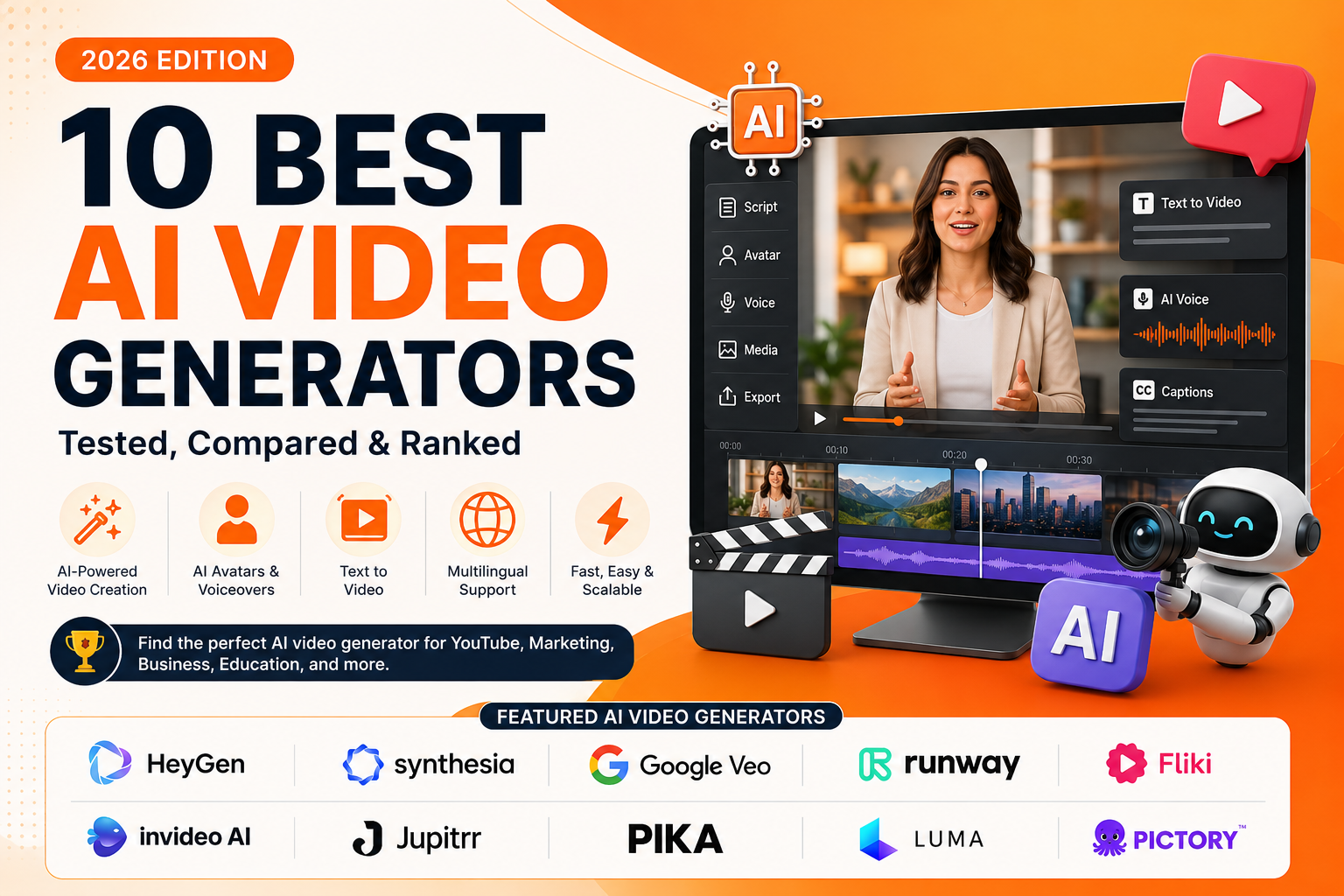
The problem is that there are hundreds of options, and most “best of” lists bury the tools that actually fit your workflow. So we tested and compared the leading platforms across output quality, ease of use, free plans, pricing, and real-world use cases. Below are the 10 best AI video generators in 2026, including popular picks like HeyGen, Fliki, Jupitrr, Synthesia, Runway, and Google Veo, plus guidance on which one to choose for your needs.
🚀 Explore Every AI Video Tool in One Place
New AI video generators launch every week. Browse, compare, and find the perfect tool for your project in our constantly updated directory.
Best AI Video Generators at a Glance
Here’s a quick side-by-side look at the top 10 tools, what each does best, whether it offers a free plan, and where paid pricing starts.
| Tool | Best for | Free plan | Starts at |
|---|---|---|---|
| HeyGen | AI avatars & talking-head videos | Yes (3 videos/mo) | ~$24/mo |
| Synthesia | Corporate training & L&D videos | Yes (limited mins) | ~$14/mo |
| Google Veo | Cinematic, high-quality generation | Free credits | ~$19.99/mo |
| Runway | Filmmaking & creative control | Yes (125 credits) | ~$12/mo |
| Fliki | Text/blog-to-video with AI voices | Yes (5 mins/mo) | ~$21/mo |
| invideo AI | Social videos from a prompt | Yes (watermarked) | ~$20/mo |
| Jupitrr AI | Auto B-roll for talking-head clips | Yes (3 videos/mo) | ~$14/mo |
| Pika | Viral effects & short clips | Yes (80 credits) | ~$8/mo |
| Luma Dream Machine | Fast cinematic B-roll | Yes (drafts) | ~$9.99/mo |
| Pictory | Turning content into video | Trial | ~$25/mo |
Note: AI video pricing and free-tier limits change frequently. Always confirm current plans on each tool’s official site before subscribing.
How We Chose the Best AI Video Generators
Not every AI video tool does the same job. Some generate original footage from a text prompt; others put an AI avatar on screen to read your script; others assemble stock clips or add B-roll to videos you already have. We evaluated each tool on the factors that matter most:
- Output quality: resolution, realism, motion smoothness, and lip-sync accuracy.
- Ease of use: how fast you can go from idea to finished video, especially for beginners.
- Free plan & pricing: what you can actually produce for free, and value at paid tiers.
- Features: avatars, voiceovers, templates, translation, editing, and automation.
- Use-case fit: the specific workflows each tool handles best.
1. HeyGen – Best for AI Avatars & Talking-Head Videos
HeyGen is the tool to beat if you want a realistic AI presenter to deliver your script. Instead of handing you a text box and a watermarked clip, it gives you a full production studio: pick an avatar from a library of 1,100+ stock presenters, type or paste a script, choose a voice, and export a lip-synced video — often in under five minutes.
Its lip-sync is accurate across 175+ languages, and its Video Agent feature can turn a single product brief into a fully edited video with script, avatar, B-roll, transitions, and voiceover. HeyGen also includes AI voice cloning and auto-captions, making it a favorite for marketing, onboarding, and localization at scale.
Pros
- Best-in-class avatar realism and lip-sync
- 175+ languages for translation and dubbing
- Full studio access even on the free plan
Cons
- Free plan watermarks videos
- Premium features draw from a separate credit pool
Pricing: Free plan (3 videos/month, 720p, watermark); paid from ~$24/month for unlimited videos, 1080p, and more avatars.
Best for: Marketers, educators, and teams creating presenter-led content, product demos, and multilingual training videos.
2. Synthesia – Best for Corporate Training & L&D
Synthesia pioneered the AI-avatar video category and remains the go-to for professional training and corporate communications. You choose from a large library of realistic digital avatars, pick a matching voice, drop in your script, and Synthesia generates a polished talking-head video with natural lip movements, no camera, crew, or actor required.
Its strength is scale and localization: you can translate an entire video into another language from a dropdown, which is why enterprises use it to produce onboarding and compliance content across dozens of markets.
Pros
- High-quality, believable avatars
- Strong multi-language support
- Simple, template-driven interface
Cons
- Avatars can look less natural on large screens
- Less suited to creative or cinematic content
Pricing: Free plan with limited minutes; Starter from ~$14/month with more video time and avatar features.
Best for: Training departments, HR teams, and businesses producing consistent, on-brand explainer videos.
3. Google Veo – Best for Cinematic, High-Quality Generation
If you want to generate original, cinematic footage from a text or image prompt, Google Veo is the current all-around quality leader. It follows prompts closely, combines realistic video with synchronized audio, and renders dialogue with impressive lip-sync – all from a simple description.
Veo is accessible through Google Flow and Google Vids, and it also powers B-roll inside other platforms. It excels at establishing shots, product visuals, and any scene where realism and prompt adherence matter.
Pros
- Excellent realism and prompt adherence
- Native audio and dialogue generation
- Little skill required for great results
Cons
- Removing the watermark gets expensive
- Can struggle with very complex, busy scenes
Pricing: Free monthly credits; Google AI Plus from ~$7.99/month; Pro at ~$19.99/month for more credits and no watermark.
Best for: Creators and brands who need high-fidelity, realistic B-roll and cinematic clips.
🎬 Want More Options Beyond These Top Picks?
From avatar tools to text-to-video engines and AI editors, discover dozens more AI video generators — filtered by use case, price, and features.
4. Runway – Best for Filmmaking & Creative Control
Runway is the choice of filmmakers and creative professionals. Its flagship generation models produce cinematic output and understand film concepts like camera moves and timed beats. Beyond generation, Runway is a full creative suite: you can edit existing footage with text prompts, animate specific regions of an image, and even map a real actor’s performance onto an AI character.
The tradeoff is a steeper learning curve, but Runway’s depth of control is unmatched for iterative, professional work.
Pros
- Cinematic quality with fine creative control
- Powerful in-video editing and performance capture
- Excellent learning resources
Cons
- Steeper learning curve for beginners
- Credits can run out quickly on heavy use
Pricing: Free plan with 125 one-time credits; Standard from ~$12/month for more credits, no watermark, and higher-quality exports.
Best for: Filmmakers, VFX artists, and creators who want granular control over every shot.
5. Fliki – Best for Text-to-Video with Realistic AI Voices
Fliki is one of the most popular all-in-one text-to-video platforms, and its standout strength is voice. It offers 2,000+ AI voices across 80+ languages and 100+ dialects, one of the broadest multilingual libraries available, plus voice cloning on higher tiers. That makes it ideal for creators producing content in multiple languages.
Fliki uses a simple scene-based editor rather than a complex timeline: paste a script, blog URL, or PowerPoint, and it splits your content into scenes, each with an AI voiceover, matched stock visuals or AI-generated imagery, and auto-subtitles. Its blog-to-video flow is a favorite for repurposing written content, and it now integrates premium models like Seedance and Veo for higher-quality clips.
Pros
- Huge, natural-sounding voice library (2,000+ voices)
- Blog, script, and PowerPoint to video in minutes
- Beginner-friendly scene-based editing
Cons
- Stock visuals can mismatch niche topics
- Voice cloning locked to the Premium plan
Pricing: Free plan (5 minutes/month, 720p, watermark); Standard from ~$21/month (annual) for 1080p, no watermark, and 120 minutes/month; Premium from ~$66/month for voice cloning and commercial rights.
Best for: Marketers, educators, and multilingual creators turning text into narrated videos at scale.
6. invideo AI – Best for Social Media Videos from a Prompt
invideo AI turns a single prompt into a complete social video. Describe what you want, set the style and target audience, and it writes a script, pulls matching stock footage from a massive library, and assembles everything with an AI voiceover, text overlays, music, and transitions.
The best part is prompt-based editing: type “add subtitles” or “make the intro shorter,” and it makes the change instantly. It’s a strong pick for faceless channels and anyone who needs a steady stream of B-roll-driven content.
Pros
- Full video from one text prompt
- Accurate prompt-based editing
- Huge stock library plus AI extras
Cons
- Interface can feel busy at first
- Free exports are watermarked
Pricing: Free plan with limited credits and watermark; paid plans from ~$20/month remove the watermark and raise limits.
Best for: Faceless social channels and marketers who need volume without filming.
7. Jupitrr AI – Best for Auto B-Roll on Talking-Head Videos
Jupitrr AI solves a very specific but painful problem: adding engaging B-roll to talking-head videos. Upload your raw footage (or even just audio), and Jupitrr transcribes it and automatically inserts relevant stock videos, images, GIFs, animated captions, hook text, and charts that match what you’re saying, turning a static clip into an editor-grade video.
It’s built for YouTubers, podcasters, coaches, and consultants who want scroll-stopping content without hours of manual editing. You can refine any AI-suggested clip with your own keywords, and export in vertical or landscape formats for different platforms.
Pros
- Automatic, context-aware B-roll and captions
- Great for repurposing podcasts and talking-head clips
- Beginner-friendly with a usable free plan
Cons
- Focused on B-roll, not full generation from scratch
- Higher resolutions and assets need paid tiers
Pricing: Free plan (3 videos/month, 720p, watermark); paid plans from ~$14/month remove the watermark and add premium stock, higher resolution, and longer videos.
Best for: Creators, podcasters, and coaches enhancing talking-head videos fast.
8. Pika – Best for Viral Effects & Short Clips
Pika has built a loyal following around its viral effects. Its Pikaffects feature lets you squish, melt, inflate, or explode objects in a photo to create scroll-stopping clips, and Pikaswaps handles face and element replacement. With one of the gentlest learning curves and fast render times, it’s a great entry point for creators new to AI video.
Pros
- Fun, shareable viral effects
- Very fast generation and easy to learn
- Generous free tier
Cons
- Lower photorealism than Veo or Runway
- Short maximum clip length
Pricing: Free plan with monthly credits; paid from ~$8/month for more credits and higher quality.
Best for: TikTok, Reels, and Shorts creators chasing attention-grabbing effects.
9. Luma Dream Machine – Best for Fast Cinematic B-Roll
Luma Dream Machine generates visually striking clips quickly, which makes it ideal for brainstorming and B-roll. Its keyframe feature lets you set a start and end image and have the AI interpolate a smooth transition between them, and a draft mode saves credits while you iterate on ideas.
Pros
- Fast, good-looking cinematic output
- Intuitive, iteration-friendly interface
- Keyframe control for smooth transitions
Cons
- Weaker at realistic people and dialogue
- Free tier is limited and watermarked
Pricing: Free drafts each month; paid from ~$9.99/month for more videos, higher resolution, and no watermark.
Best for: Cinematic B-roll, mood boards, and quick concept visualization.
10. Pictory – Best for Turning Existing Content into Video
Pictory flips the usual workflow: instead of starting from a blank canvas, you bring content you already have, a blog post, script, URL, or set of images, and it turns them into a polished, narrated video. It pulls relevant visuals, adds AI voiceover and captions, and applies your branding, making it a strong choice for marketers scaling content into multiple formats.
Pros
- Converts almost any content into video
- Rich templates, branding, and captions
- Beginner-friendly editor
Cons
- Output can feel templated vs. generative tools
- No free plan (trial only)
Pricing: Plans from ~$25/month (annual) with 200 video minutes/month and no watermark.
Best for: Marketers and bloggers repurposing written content into video.
AI Video Generator Comparison
| Tool | Best For | Ease of Use | Video Quality | AI Features | Overall Rating |
|---|---|---|---|---|---|
| HeyGen | AI avatars | ⭐⭐⭐⭐⭐ | ⭐⭐⭐⭐⭐ | ⭐⭐⭐⭐⭐ | ⭐⭐⭐⭐⭐ |
| Synthesia | Business training | ⭐⭐⭐⭐⭐ | ⭐⭐⭐⭐⭐ | ⭐⭐⭐⭐☆ | ⭐⭐⭐⭐⭐ |
| Google Veo | Cinematic AI | ⭐⭐⭐⭐☆ | ⭐⭐⭐⭐⭐ | ⭐⭐⭐⭐⭐ | ⭐⭐⭐⭐⭐ |
| Runway | Professional creators | ⭐⭐⭐⭐☆ | ⭐⭐⭐⭐⭐ | ⭐⭐⭐⭐⭐ | ⭐⭐⭐⭐⭐ |
| Fliki | Blog-to-video | ⭐⭐⭐⭐⭐ | ⭐⭐⭐⭐☆ | ⭐⭐⭐⭐☆ | ⭐⭐⭐⭐☆ |
| InVideo AI | Social media | ⭐⭐⭐⭐⭐ | ⭐⭐⭐⭐☆ | ⭐⭐⭐⭐☆ | ⭐⭐⭐⭐☆ |
| Jupitrr AI | Talking-head videos | ⭐⭐⭐⭐⭐ | ⭐⭐⭐⭐☆ | ⭐⭐⭐⭐☆ | ⭐⭐⭐⭐☆ |
| Pika | Viral short videos | ⭐⭐⭐⭐⭐ | ⭐⭐⭐⭐☆ | ⭐⭐⭐⭐☆ | ⭐⭐⭐⭐☆ |
| Luma Dream Machine | Cinematic B-roll | ⭐⭐⭐⭐☆ | ⭐⭐⭐⭐⭐ | ⭐⭐⭐⭐☆ | ⭐⭐⭐⭐☆ |
| Pictory | Content repurposing | ⭐⭐⭐⭐⭐ | ⭐⭐⭐⭐☆ | ⭐⭐⭐⭐☆ | ⭐⭐⭐⭐☆ |
Create Monetizable YouTube Shorts with AI
If your goal is to grow a YouTube channel using AI, choosing the right video generator is only part of the process.
We’ve also created a step-by-step guide showing how to create monetizable YouTube Shorts in just five minutes using AI tools. The tutorial covers content ideas, video creation, captions, publishing tips, and a workflow designed to help creators produce Shorts consistently.
👉 Recommended Guide: Create Monetizable YouTube Shorts in Just 5 Minutes
Whether you’re building a faceless YouTube channel or creating Shorts for your business, this guide complements the AI video tools covered in this article.
How to Choose the Right AI Video Generator
The best tool depends entirely on what you’re creating. Use this quick framework:
| Use Case | Recommended Tool |
|---|---|
| Best Overall AI Video Generator | HeyGen |
| Best AI Avatar Generator | HeyGen |
| Best for Business Training | Synthesia |
| Best Cinematic AI Video Generator | Google Veo |
| Best for Professional Editing | Runway |
| Best Blog-to-Video Tool | Fliki |
| Best for Social Media | InVideo AI |
| Best for Talking-Head Videos | Jupitrr AI |
| Best for Viral Short Videos | Pika |
| Best for Content Repurposing | Pictory |
Most of these tools offer a free plan or trial, so the smartest move is to test two or three against your actual content before committing to a subscription.
Tips for Creating Better AI Videos
Using AI can significantly reduce production time, but a few best practices can help you create more engaging and professional videos.
Write Better Prompts
If your AI video generator uses text prompts, be as specific as possible.
Instead of writing:
Create a product video.
Try something like:
Create a 30-second cinematic product showcase of a modern wireless headset with dramatic lighting, close-up shots, slow camera movement, and upbeat background music.
The more context you provide, the better the AI understands your vision.
Keep Videos Focused
Short, focused videos often perform better than longer, information-heavy content. For platforms such as TikTok, Instagram Reels, and YouTube Shorts, aim to communicate one clear idea per video.
Edit AI-Generated Scripts
AI can create excellent first drafts, but adding your own examples, brand voice, and expertise makes videos more engaging and authentic.
Add Your Branding
Customize colors, logos, fonts, intros, and outros to create a consistent brand identity across your videos.
Combine Multiple AI Tools
Many creators achieve the best results by combining different AI platforms.
For example:
- ChatGPT for scripting
- Midjourney or Flux for images
- Google Veo for cinematic footage
- HeyGen for AI presenters
- ElevenLabs for voiceovers
- Runway for editing
Choosing specialized tools often produces higher-quality results than relying on one platform for every task.
Final Thoughts
AI video generators have evolved from simple automation tools into powerful content creation platforms capable of producing professional-quality videos for businesses, educators, marketers, and creators.
If your goal is creating realistic presenter videos, HeyGen remains one of the strongest overall choices. For business training and educational content, Synthesia continues to lead. If you’re interested in cinematic AI-generated footage, Google Veo and Runway provide exceptional creative possibilities. Meanwhile, Fliki, InVideo AI, Jupitrr AI, Pika, Luma Dream Machine, and Pictory each excel in their own specialized workflows.
Rather than searching for a single “best” AI video generator, think about the type of videos you create most often. Matching the tool to your workflow will almost always produce better results than simply choosing the platform with the longest feature list.
As AI video technology continues to improve, these tools will become even more capable of helping creators produce engaging content faster than ever before.
If you’re exploring AI software beyond video generation, GoToAI Directory is a great place to discover and compare hundreds of AI tools across categories including writing, SEO, image generation, voice synthesis, productivity, marketing, coding, automation, and website building.
Frequently Asked Questions
What is the best AI video generator in 2026?
HeyGen is one of the best AI video generators overall thanks to its realistic AI avatars, multilingual support, and beginner-friendly workflow. However, the best choice depends on your needs. Google Veo excels at cinematic video generation, while Fliki is ideal for turning written content into videos.
Which AI video generator is best for YouTube?
For YouTube creators, Fliki, InVideo AI, and Jupitrr AI are excellent choices. Fliki works well for educational and faceless videos, while Jupitrr AI helps improve talking-head content with automatic B-roll and captions.
Can AI generate videos from text?
Yes. Most modern AI video generators allow users to create videos using simple text prompts. Depending on the platform, AI can generate visuals, animations, voiceovers, subtitles, music, and even complete video edits automatically.
Which AI video generator has the most realistic avatars?
HeyGen and Synthesia currently offer some of the most realistic AI avatars available, making them popular choices for business presentations, training videos, and multilingual content.
Are AI-generated videos good for marketing?
Yes. AI-generated videos can significantly reduce production time while making it easier to create product demonstrations, advertisements, explainer videos, and social media campaigns. Human editing and branding still play an important role in producing high-quality marketing content.
Can AI video generators replace video editors?
Not completely. AI can automate many repetitive editing tasks, but professional editors remain valuable for storytelling, creative direction, advanced visual effects, and final quality control.
Which AI video generator is best for beginners?
Fliki, InVideo AI, HeyGen, and Pictory are among the easiest platforms for beginners because they provide intuitive interfaces and automate much of the production process.
Can I use AI-generated videos commercially?
Most AI video generators allow commercial use on their paid plans. Always review each platform’s licensing terms before publishing videos for business or client work.